urmadmin, Author at Unstoppable Recording Machine - Page 44 of 45

Making Digital Sound Analog – The Best Of Both Worlds

Making Digital Sound Analog – The Best Of Both Worlds

Ever since the transition to Digital Audio, engineers have been trying to replicate the classic sounds of Analog in the DAW environment. Thanks to some very smart people who’ve put in a lot of tedious work, we’re finally at a point where analog-simulation technology is almost indistinguishable from the real deal.

A – WHAT’S SO GOOD ABOUT ANALOG ANYWAY?
2-analog-gear-collage

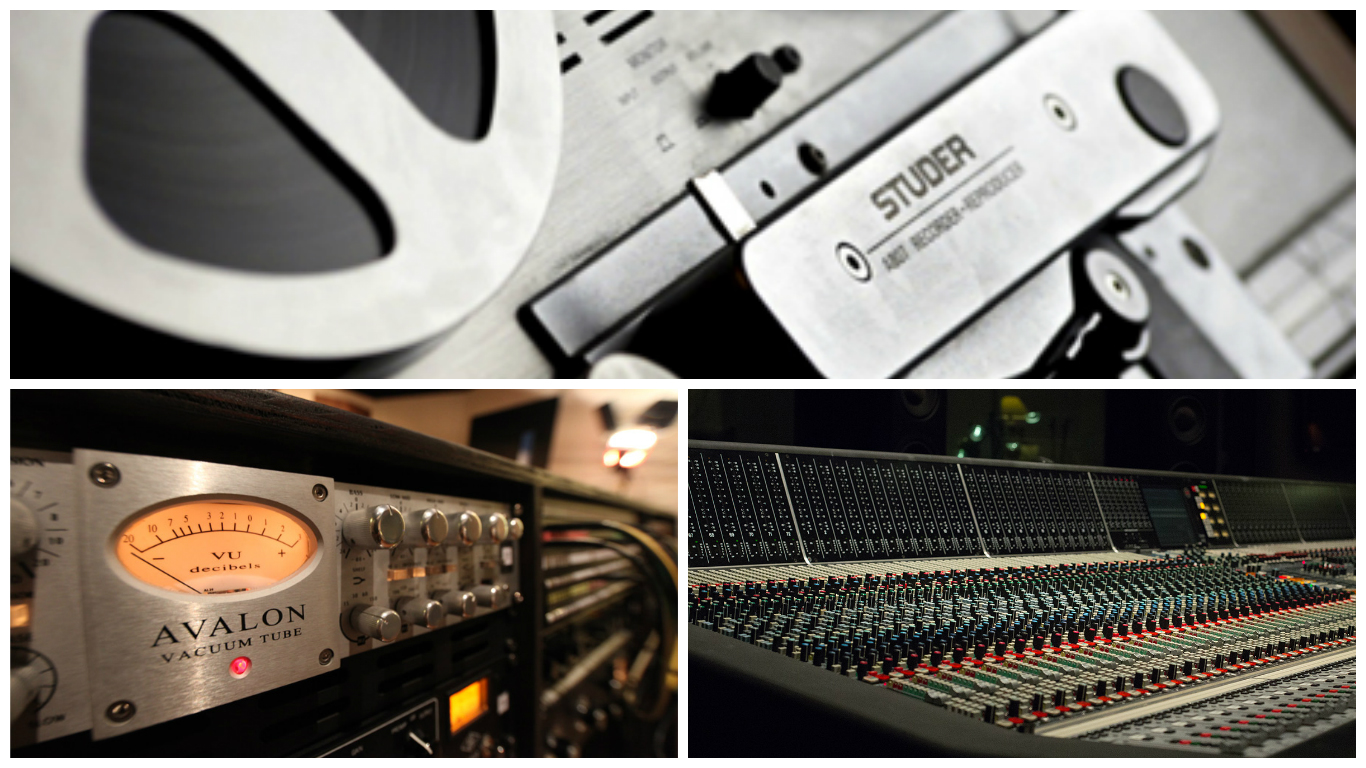
A lot of “old-school” producers and engineers like to look back at the old days of recording and fondly reminisce about the sound of vintage tube mics, preamps, mixing desks and tape machines. You’ll often hear these old-timers talk about the “warmth” and “character” this kind of gear added to the sound. How the transition to digital has “sterilized” music…  it’s become “too clean”, “harsh” and “perfect”.

It’s true that these old pieces of vintage gear have a unique sound and often impart some pleasant characteristics onto the raw material. However, it’s important not to forget the amount of hassle involved in the upkeep and operation of said gear.

Sure, plugging directly into the “neutral” sounding preamps on your digital audio interface and straight into your DAW will result in a much cleaner and more “sterile” sounding raw track. The main reason Analog sounds the way it does is in the first place, is because the signal is having to go through multiple stages of analog saturation to get to an equivalent place.

Just think of how much time, effort, and money you can save in comparison nowadays days with the workflow benefits of a DAW…

B – ANALOG VS DIGITAL
3-analog-vs-digital

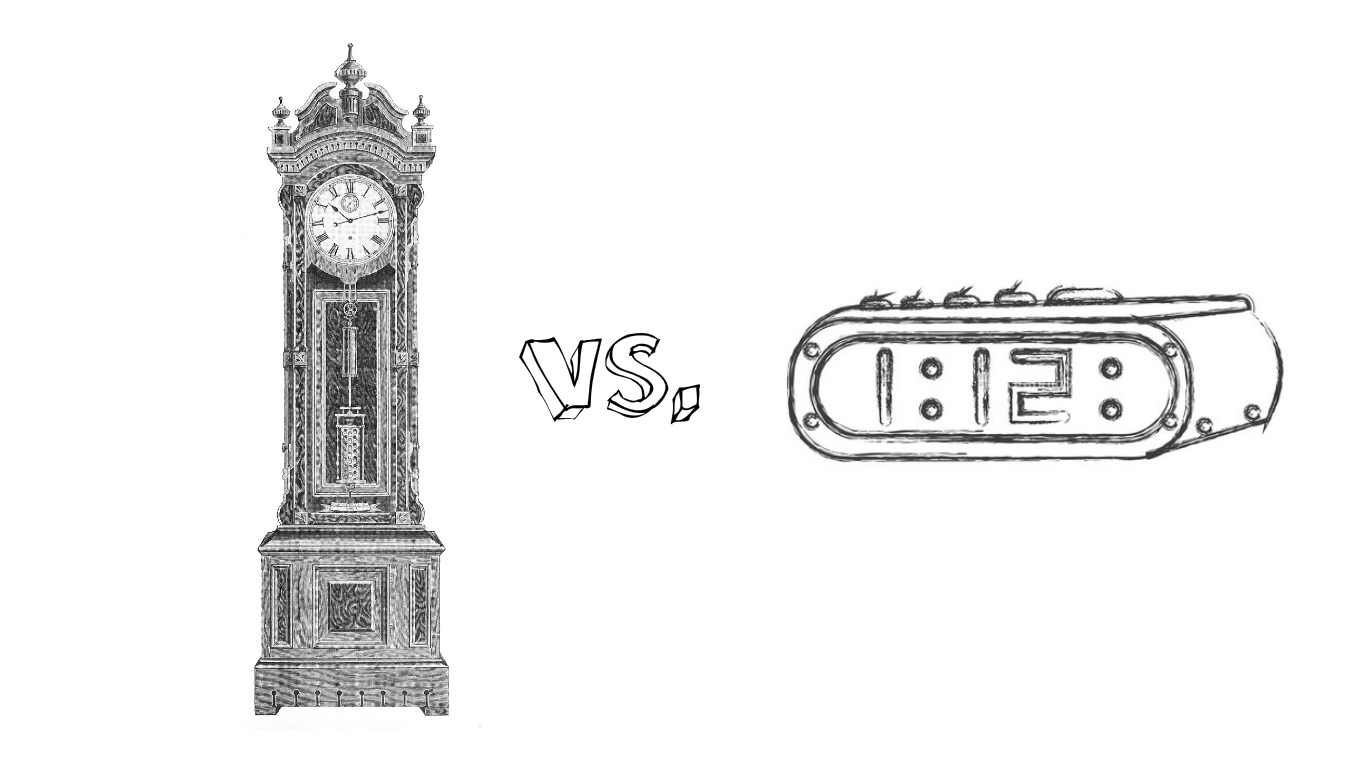
Before we go any further, let’s take a look at some of the pros and cons for each of these recording/mixing mediums:

ANALOG
  1. The Pros of Analog:
  • Adds some pleasant saturation, warmth and often-beneficial tonal “color”.
  • The limitations of Analog encouraged and cultivated a culture of great musicianship and inspired performances – Less editing and “correction” was required from the get-go.
  • Mixing engineers and Producers had to perform their craft (manual-automation).
  • Less “pokey” sounding transients due to the softening effect of saturation/distortion.
  • Smoother high-end due to the high-end roll-off caused by various analog gear and tape types/settings.
  • Having faders, buttons and pots to interact with is far superior to using a mouse.


     2.  The Often-Overlooked Cons of Analog:

  • Editing is extremely time consuming and inaccurate.
  • Limited Channel Count.
  • Limited pieces of gear available – You can’t put a single piece of gear across 7 different channels simultaneously…
  • Patching/routing is a pain, too many cables involved.
  • Recallability is terrible.
  • High upkeep costs – Reels of tape, tubes and analog components are expensive to purchase and the gear is expensive get serviced.
  • A lot of noise and hiss – Each piece of analog gear ads and/or amplifies hiss, eventually getting pretty noticeable.
DIGITAL
  1. The Pros of Digital:
  • Infinite routing possibilities, no cables required in a DAW!
  • Automation available for every parameter – No need to memorize hundreds of fader movements and changes.
  • Limitless channel count.
  • The ability to use presets and templates – Amazing recallability!
  • Less noise from the get-go, removing noise is also easy and painless.
  • Editing is extremely fast and accurate.

     2. The Cons of Digital:

  • Can encourage lazy musicians with the advent of pitch correction and quantizing.
  • Very clean recordings, mixes can sound lifeless as a result.
  • Transients sound brittle and “pokey” due to the lack of saturation/softening.
  • Converters play an important role in the sound quality, good converters are expensive.
  • The interfacing between the engineer and sound is somewhat obstructed by a mouse.

These lists could go on forever, and I’m sure I’ve probably missed off a few things. Long story short, If I were to sum all of these points down into a single sentence on the Analog vs Digital Argument:

“The sound of Analog is more pleasing to the ear, but the workflow of Digital is far more practical and accurate.”

Now that we’ve got that out of the way, let’s have a look at how we can go about trying to recreate the sonic characteristics of Analog in the Digital domain.

C – INTRODUCTION TO ANALOG SIMULATION PLUGINS:
4-analog-sim-collage

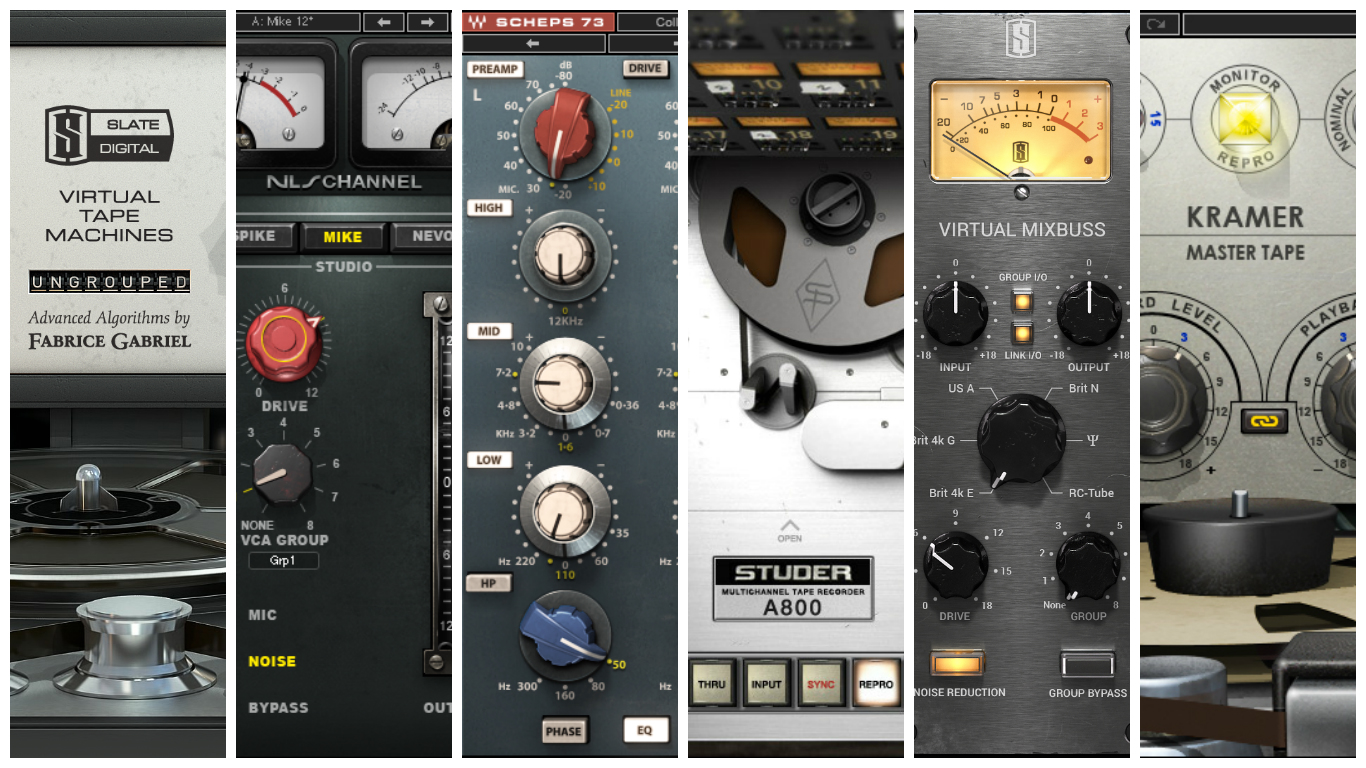
The new simulation options available to us for use in our DAWs offer a very accurate representation of the classic Analog sound, but without any of the drawbacks involved in using the vintage gear.

These plugins give us a means of fusing the positive elements of each world into a new “hybrid” work environment.  We can retain all of the great parts about Digital, but bring back some of what’s missing from the good ol’ days.

To make the most of these simulations and learn how to use them correctly, it’s important to understand the signal flow and characteristics of Analog gear. Let’s take a look at what a typical signal chain looks like in the analog world and break down some of the individual components involved in creating it’s sound.

D – ANALYSIS OF ANALOG SIGNAL FLOW AND GEAR CHARACTERISTICS:
Analog Signal Flow
5-analog-signal-flow

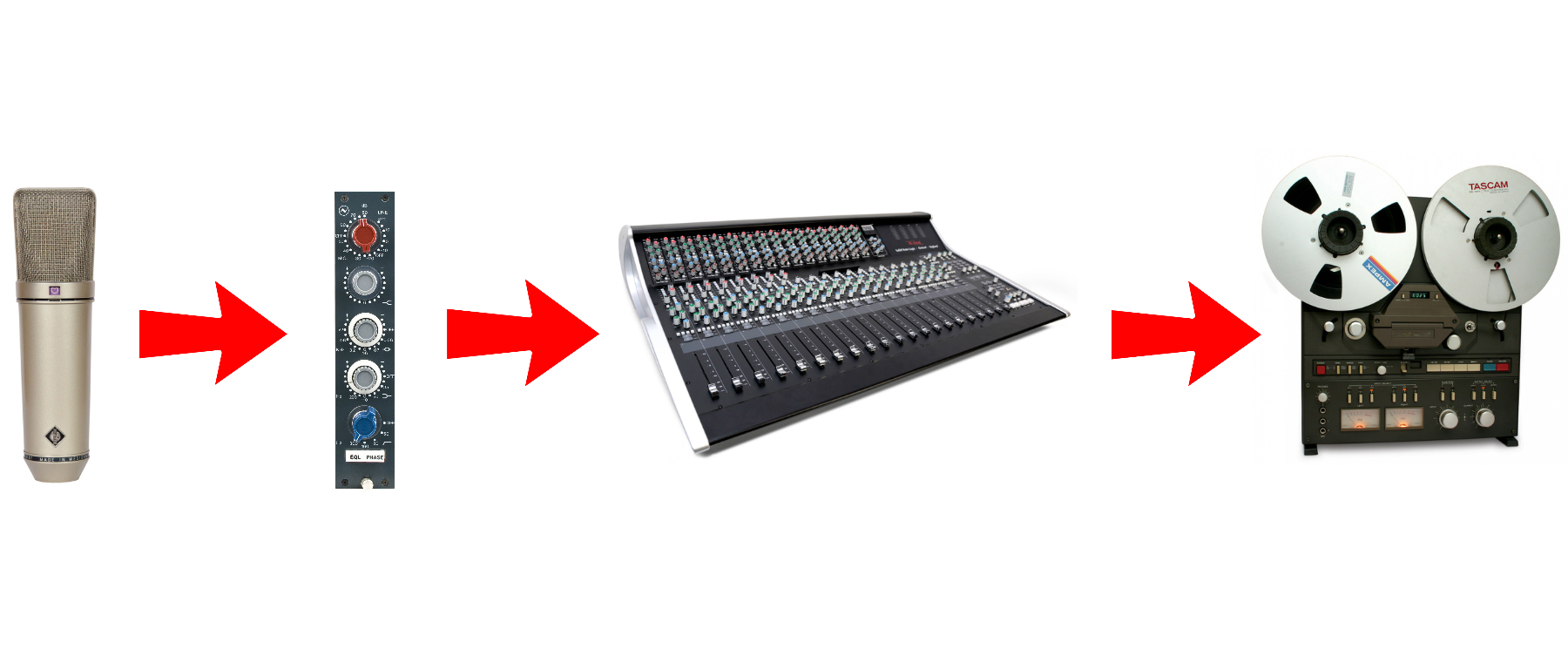
The classic sound of analog which we are used to hearing on countless albums is the result of multiple stages of saturation. Each piece of gear used throughout the recording and mixing process introduces it’s own degree of tonal shaping. 

Let’s Take a Look at An Example Analog Recording/Mixing Chain:

RECORDING: Mic > Preamp > Channel on Mixing Console > Tape Machine

MIXDOWN: Channel on Mixing Console > Outboard Processing (Compressors, FX, etc.) > Mix Buss > Master Tape

As you can see in the example above, there are at least 5-6 or more stages of saturation taking place between the microphone and the master tape stage.

If you compare the fact that there’s virtually no saturation or tonal imprint being imparted by the recording interfaces and DAW’s used in modern day digital recording, to the several stages of “warming up” and “shaping” going on in the past, it’s easy to see why there’s such a difference in sound and character between the two approaches.

Analog Gear Characteristics

NOTE ON GAIN STAGING: Before you begin using any particular Analog-Simulation plugin I’d highly suggest doing some research on the recommended gain-staging guidelines in it’s respective manual. As easy as it is to improve a mix with this sort of processing, It’s just as easy to screw it up by using it incorrectly and overdoing it!

Tape Machines
6-tape-machines-collage

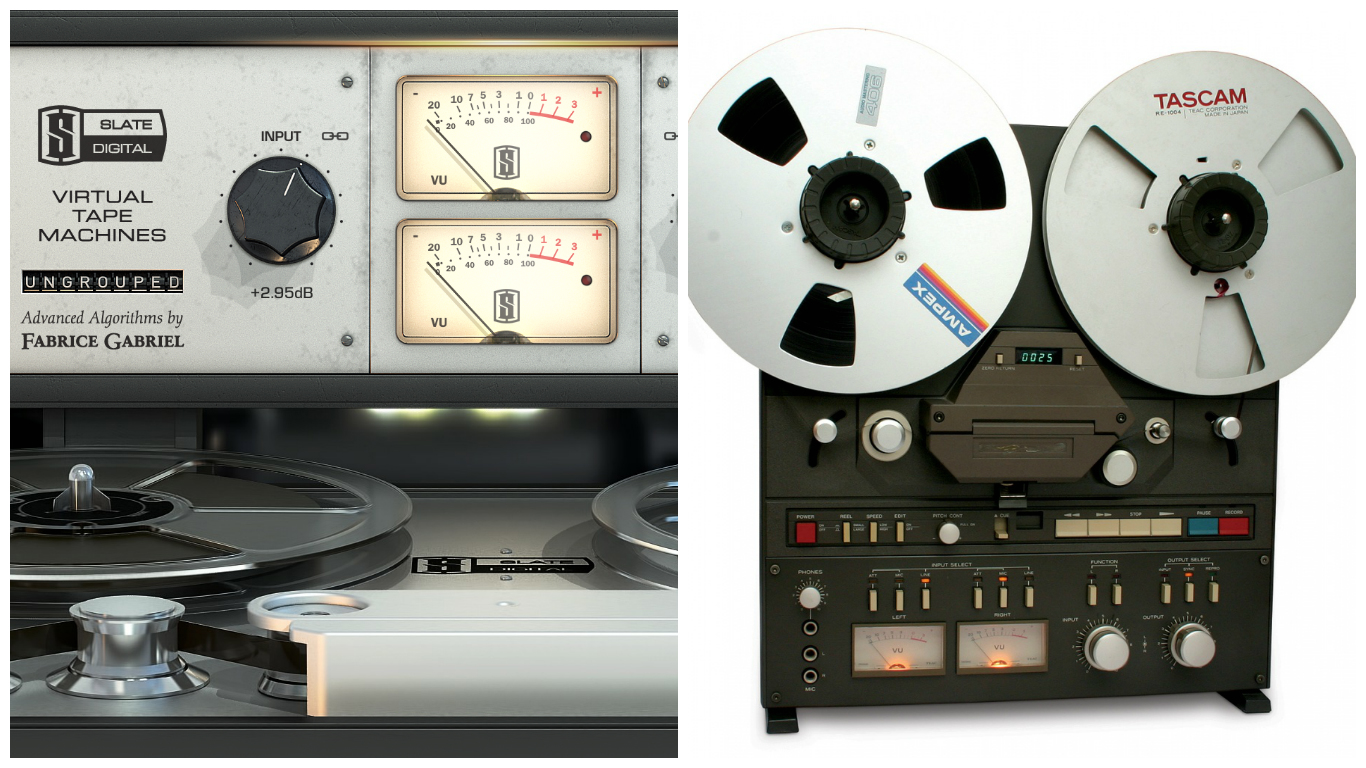
Tape machines are probably the first thing that come to mind for most people when somebody mentions Analog, and for good reason. The sound of tape had a huge impact on defining the recorded music we’ve been listening to for the past 50 years or so!

The Characteristics of Tape:

  • A gentle high frequency roll-off with varying severity depending on input level, tape-speed and brand of tape used.
  • A smooth low-end boost, also varying in level depending on input level, tape-speed and brand of tape used.
  • Saturation which adds warmth, depth, presence, smoothness, punch and a subtle compression to the signal it’s fed.

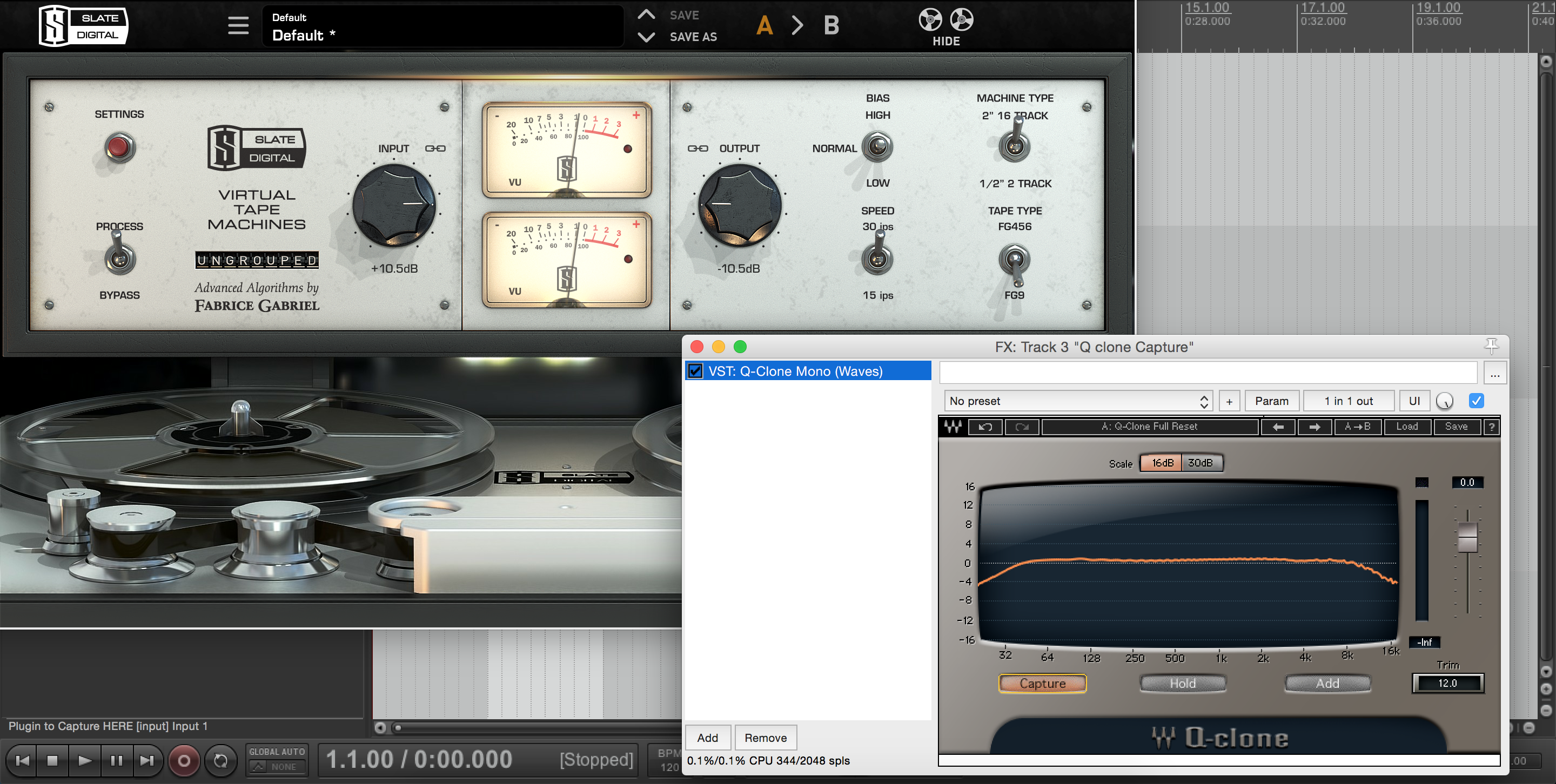
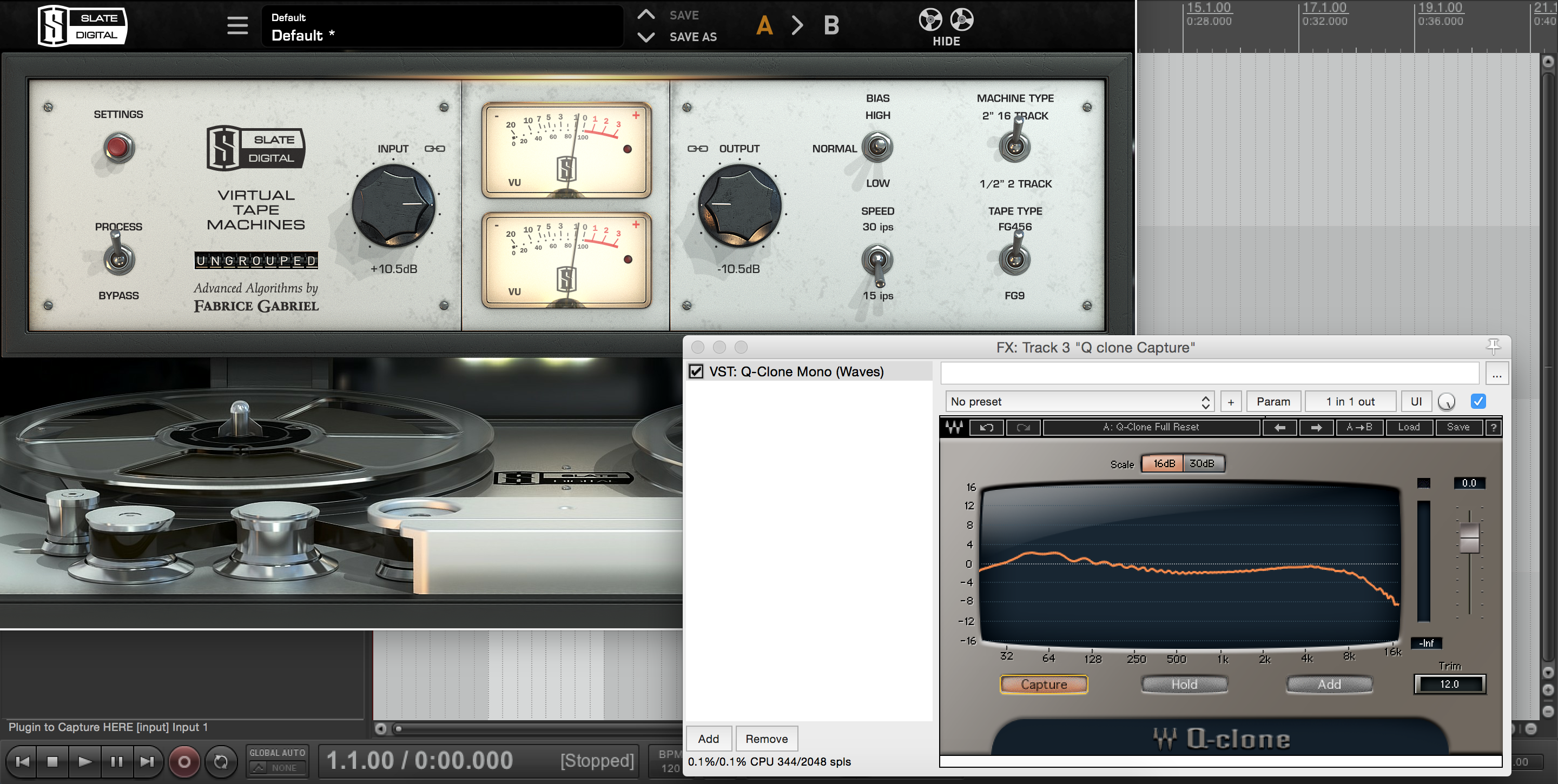
To get a better understanding of the tonal imprint that tape is imparting on your material, check out these frequency analysis on specific tape settings. I conducted these using the Waves Q-Clone & Q-Capture Plugins:

456 Tape at 15ips:
7-vtm-456-15ips

FG9 (GP9) Tape at 30ips:

8-fg9-30ips

Notice how the Low-End bump and high-end roll-off are much more significant while using the more-vintage 456 tape type with a slower tape speed of 15ips, while the frequency response is much smoother using the more-modern FG9 tape type at a higher tape speed of 30ips.

Learning the characteristics and differences between each setting and tape type is the key to getting the most out of this type of processing. It can help unlock several less conventional solutions to everyday mixing problems that we’d usually attempt to resolve using a tool like an EQ.

Here are some places to try out a Tape Simulation Plugin:
  • Smooth out abrasive high frequency content. For example: An overhead mic with a harsh high-end or a distorted guitar with too much fizz.
  • Give a kick drum or bass guitar a nice low-end bump.
  • Give an acoustic guitar a vintage tape-pushed-hard sound.
  • Saturate your vocals (and anything else really…) and help them cut through the mix.

TAPE-TIP: A general rule of thumb to go by while using tape is: The lower the tape speed, the more of the classic characteristics of tape. The higher the tape speed, the cleaner the sound.

Mixing Consoles:
9-mixing-desks-collage

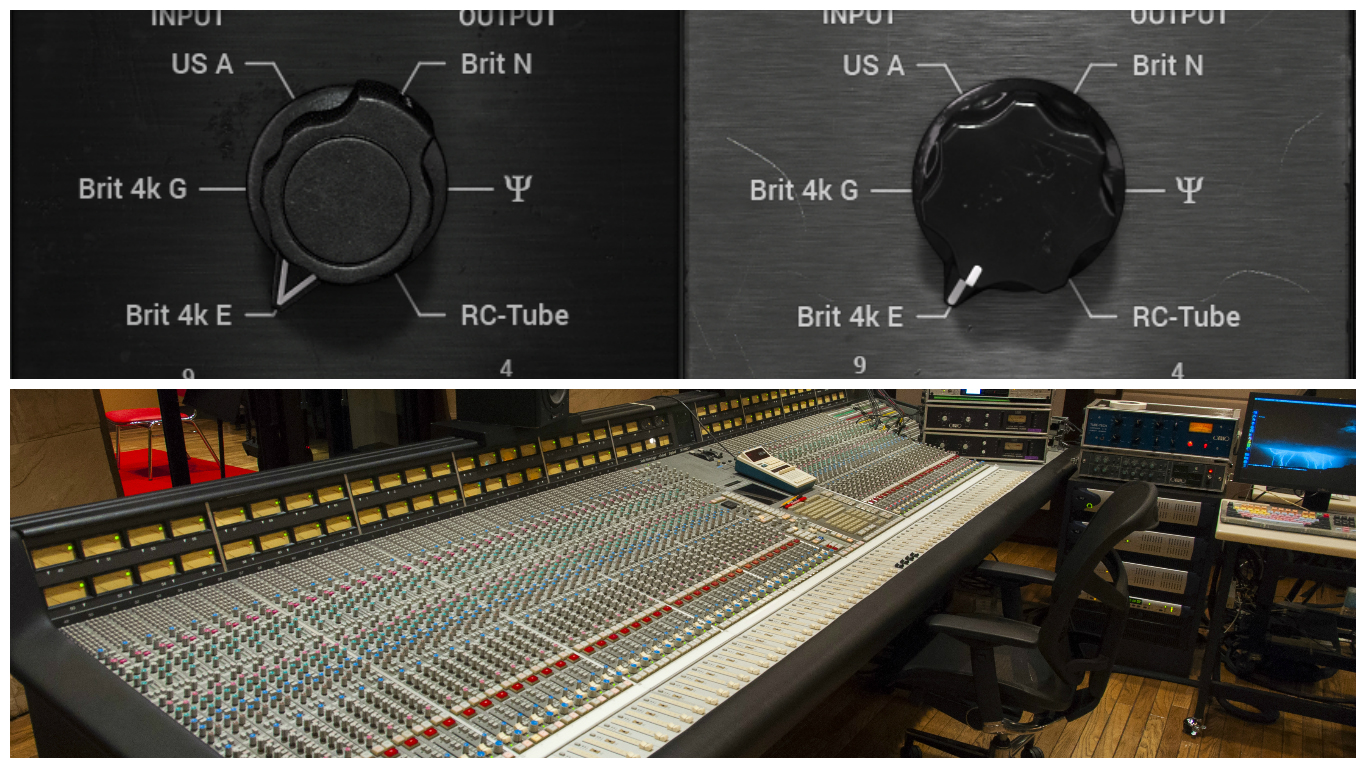
Much like tape machines, the mixing consoles being used to capture and mix audio in the past played a huge part in adding to the classic vibe of the sound.

The Characteristics of Certain Mixing Consoles:
  • Neve style consoles: Thick, Saturated and Vibey. The sound of the 70s: Fleetwood Mac, Cheap Trick and Tom Petty. Great on vocals, vintage drums and driven guitars.
  • SSL style consoles: A more modern and aggressive sound, quite clean and punchy – The sound of hard hitting rock. Think Bob Clearmountain (Bryan Adams, Bruce Springsteen) & CLA (Green Day, My Chemical Romance).  Excellent on drums and heavy guitars. 

You’ll often see and hear people talking about the “warm” sound of the classic Neve consoles. Just by running a simple frequency-sweep test we can get a pretty good idea of the actual tonal effect this kind of processing is having on our source material:

Slate Digital VCC2 On the Neve Setting:
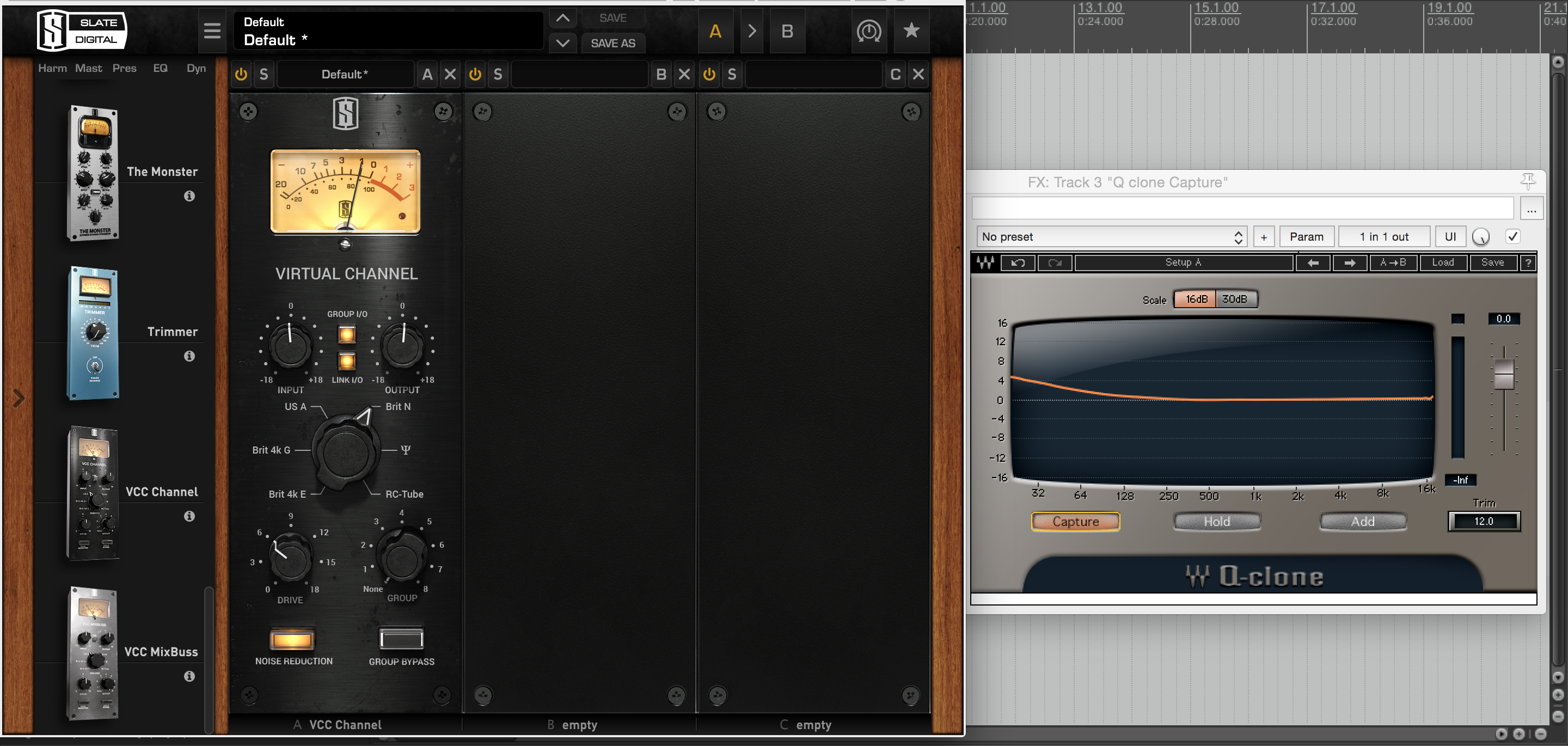
10-steven-slate-neve-console

Note: It goes without saying that every desk has a unique sound of it’s own, so I won’t go into the details of every single option. To summarize the general effect that a mixing console has on the sound:

“An increase in punch, depth and warmth, added life and excitement.”

Here are some places to try out a Console Simulation Plugin:
  • The cool thing about having access to so many different flavors of console is that you can mix and match different sounds depending on the source material. For example: An API on the guitars, A Neve on the Vocals and an SSL on the Drums.
  • Steven Slate VCC comes with regular channel version of the plugin, as well as a MixBuss version of the plugin. Try using the channel version of VCC on your individual inputs and bussing them together into groups for further Console saturation.
  • The VCC MixBuss plugin is also an excellent tool for mastering. It is a quick way to add a bit of extra glue, punch and harmonic excitement to a full mix.
Microphone Preamps:
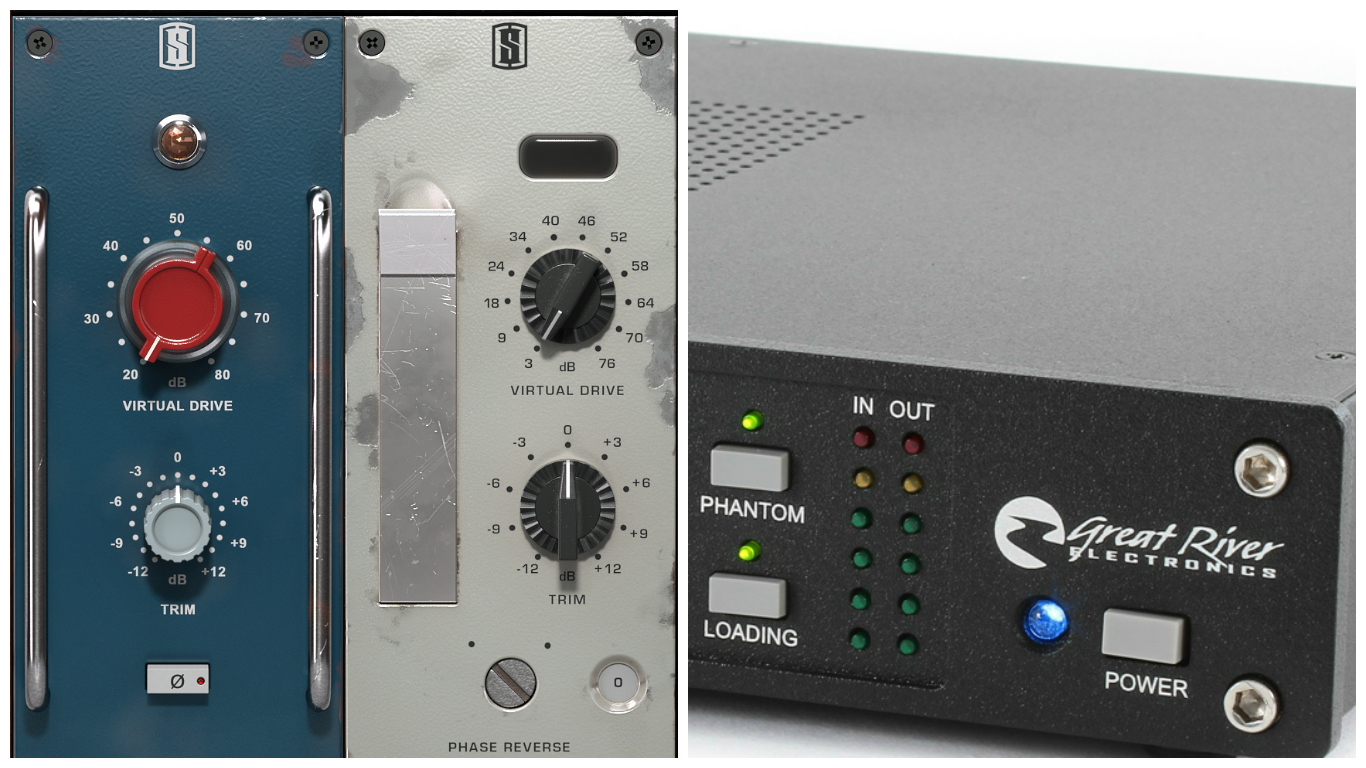
11-preamps-collage

Generally speaking, the microphone preamps built-into modern day audio interfaces are very neutral eq-wise and very clean saturation-wise. These pre’s are great for capturing an accurate digital representation of a sound, but don’t really lend themselves well to producing sounds which will cut through and sit well in a dense mix.

My usual advice to people asking about which low-budget microphone preamp to buy is simple. They should just stick with the built-in options on their interface until they are in a position to actually afford a more expensive, high-quality option. The simple truth is: Owning a good microphone preamp won’t drastically improve your mixes.

Don’t get me wrong… of course a good interface will help improve the raw tones you are capturing from the get go, just not to the extent that some of the gear snobs around the audio forums would try to have you believe.

The Characteristics of Vintage Microphone Preamps:
  • Added warmth, depth, punch and presence.
  • Subtle saturation (or not-so-subtle, depending on usage).
  • Varying tonal accentuation depending on brand, price range,  etc. Ex: Neve preamps are fat and silky, API preamps are quite mid-focused and transient.

NOTE: I know that I’m beginning to sound a bit like a broken record at this point. This is simply because the characteristics I’ve listed above are the main characteristics that most high-quality pieces of Analog gear have in common.

Digital Preamp Simulation:
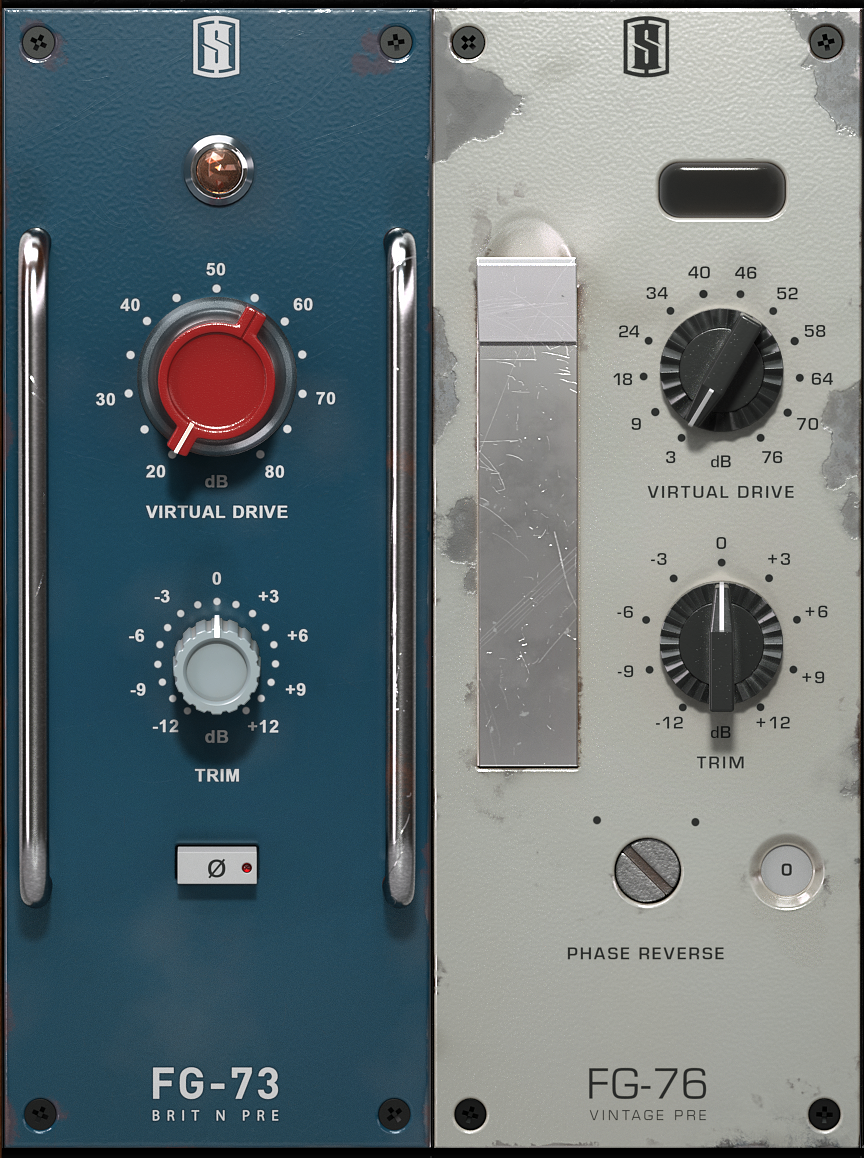
12-virtual-preamp

A fairly recent addition to Slate Digital’s already-amazing back catalog of amazing Analog modeling plugins is the new “Virtual Preamp Collection”.

This plugin was designed to be used in conjunction with their new “Virtual Microphone System.” Due to the fact that a lot of modern day digital audio interfaces are so clean and transparent, it also serves as an amazing tool for spicing up some otherwise very-clean sounding “straight into the interface” recordings during the mixing process.

Ever since I got my hands on this plugin last year I find myself wondering “Why do I need to spend thousands on tons of external preamps again???” I’m sure a lot of other people are also thinking the same thing. It’s truly a testament to the quality of product which the guys at Slate are delivering recently.

NOTE: I’d highly recommend giving VPC, as well as the other Slate Digital plugins a go. They are extremely affordable and provide what I believe to be the best analog simulation options available on the market today.

Some Final Words on Analog/Digital:

The truth is, Analog was never perfect and neither is Digital… It’s our job as engineers to research, experiment, learn and do whatever it takes to figure out and develop methods of reaching the sounds we envision in our heads.

As I’ve mentioned before in my previous Blogs, and is mentioned frequently by the awesome guys at URM and their guests: It’s not about the gear you use, it’s about the way you use it.

CONCLUSION:

This concludes my article on “Making Digital Sound Analog”.

I hope you’ve enjoyed this article and possibly gained something through reading it. Make sure to share this with your friends and feel free to leave comments or questions in the section below. 


Want mix tips from URM Academy? Read them here!
Nail The MixNail The Mix is our online mixing school that gives you REAL multi-tracks from REAL bands, plus a mixing class from the producer who recorded it. Past guests include Periphery, Chelsea Grin, Machine Head and State Champs. Join now for instant access!
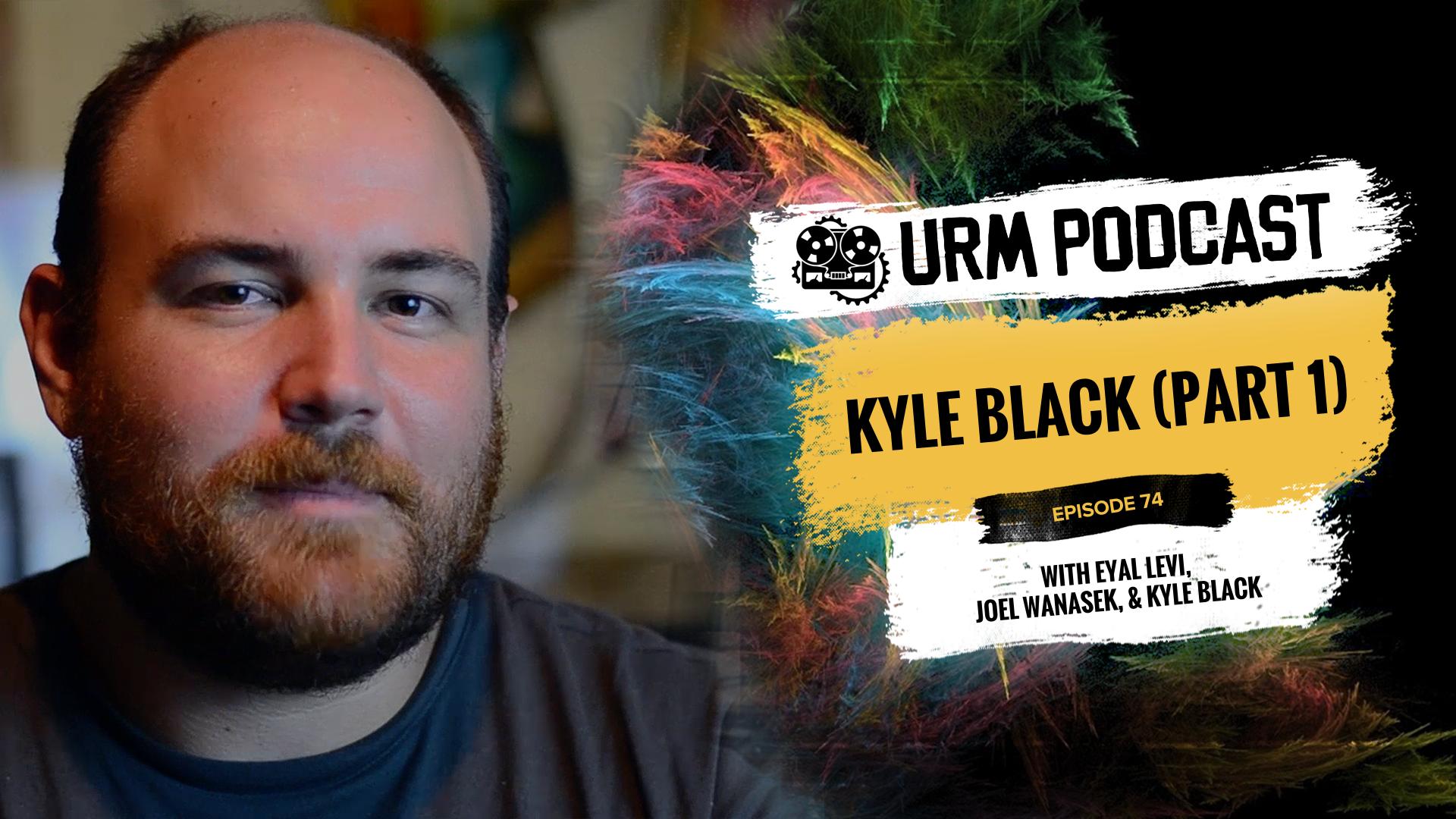
Kyle Black: What Makes a Great Intern, Tracking Massive Guitars, and Why He Avoids Reamping

Producer Kyle Black has been behind the board for some of the biggest names in modern pop-punk and hardcore. His impressive credit list includes genre-defining albums for bands like State Champs, Stick To Your Guns, New Found Glory, Comeback Kid, Set Your Goals, and All Time Low, showcasing his knack for creating sounds that are both powerful and polished.

In This Episode

Kyle Black kicks things off with some real talk about what it takes to make it in a competitive market like Los Angeles, sharing how he landed his first major gigs through a mix of mentorship, skill, and just the right amount of persistence. He and the guys get into a fantastic discussion about the qualities that separate a great intern from a bad one, emphasizing the importance of humility and a relentless work ethic. The conversation then shifts into a technical deep dive, with Kyle breaking down his go-to signal chains for tracking massive rhythm guitars, clear and punchy bass, and organic, powerful drums. He details his hybrid mixing setup, his “gridded but natural” editing philosophy, and why he’ll almost always choose to nail a tone at the source rather than reamping later. It’s a killer balance of career advice and studio nerd-out.

Products Mentioned

Timestamps

  • [1:20] How do you get anything done while living in LA?
  • [8:12] Should aspiring producers move to LA to pursue a career?
  • [8:55] How Kyle got his start through mentorship and persistence
  • [10:37] The fine line between being persistent and being annoying
  • [15:27] The real purpose of an internship (it’s about learning, not just getting paid)
  • [18:10] The single most important quality that makes an intern stand out
  • [24:08] How Kyle’s assistant proved his worth and graduated from intern to paid assistant
  • [33:00] Using your competitive ego as a positive motivator
  • [35:21] Why having an “abundance mindset” helps you and your competitors
  • [37:14] Kyle’s favorite pieces of gear in his studio
  • [38:39] Using a summing mixer for better stereo separation and dynamics
  • [47:02] Kyle’s simple but effective chain for tracking heavy rhythm guitars
  • [49:50] Why he believes there’s quality loss when you reamp
  • [52:04] The versatility and power of the Bogner Ecstasy amp
  • [54:29] Why bass is one of the hardest instruments to track well
  • [59:08] Mic placement for a clear and bright bass tone
  • [1:07:34] The key to a great drum recording starts with the player, the tuning, and the cymbals
  • [1:10:05] Why Kyle prefers to tune drums “big and wet and roomy”
  • [1:17:24] A simple rule for deciding when to double-track vocals
  • [1:19:42] The “gridded yet natural” editing approach on the Shai Hulud record

Recording Guitars – Silent Recording Options (Part 2)

Recording Electric Guitars – Silent Recording Options: Part 2 

In the current age of digital recording technology, we have more options available to us than ever before. When it comes to capturing great guitar tones within a home studio environment/budget, we’ve never had it better.

Here is an overview of what I consider to be some of the best silent-recording options available today:

Recording Option #2: Hybrid Setup – Real Amp + Reactive Load Box + Speaker Simulation

1-load-boxes-collage

Using a Load-Box is my  favorite way to record guitars silently. This method is the most accurate way to capture the sound and feel of an analog amplifier, while retaining most of the benefits of silent recording.

Introduction to Load Boxes

To use this method you’ll need to purchase a Load-Box. More specifically, a Load-Box with a line output option. A Load-Box is a piece of gear which can be used to replace a speaker cabinet. It loads your amp’s speaker output down to a line level signal, so that you can safely connect it up to your audio interface without damaging it.

Load-Boxes come in a few technical variations
  • Reactive Load-Boxes
  • Resistive Load-Boxes
  • Load-Boxes With or Without Built-In Speaker Emulation
What’s the difference between Reactive and Resistive?

Think of it this way: When an amplifier is plugged into a speaker cabinet, the signal flow relationship between the head and the cab isn’t exactly linear. It’s more of a push/pull, “interactive” relationship. This has a huge influence on the way that the gear sounds, how it reacts, and how it feels to play through as a guitarist.

NOTE: In more technical terms, this relationship between the amp and the speaker cabinet is called the “impedance curve” of the gear.

Reactive Load-Boxes

As it’s name suggests, a reactive Load-Box will preserve this Impedance Curve. It allows your gear to “react” with the guitar player, thus retaining the benefits of playing through a real speaker cabinet.

Resistive Load-Boxes

A resistive Load-Box on the other hand, will get rid of the Impedance Curve. It loses the relational benefits gained from playing through a real cab.

Load-Boxes With or Without Built-In Speaker Emulation

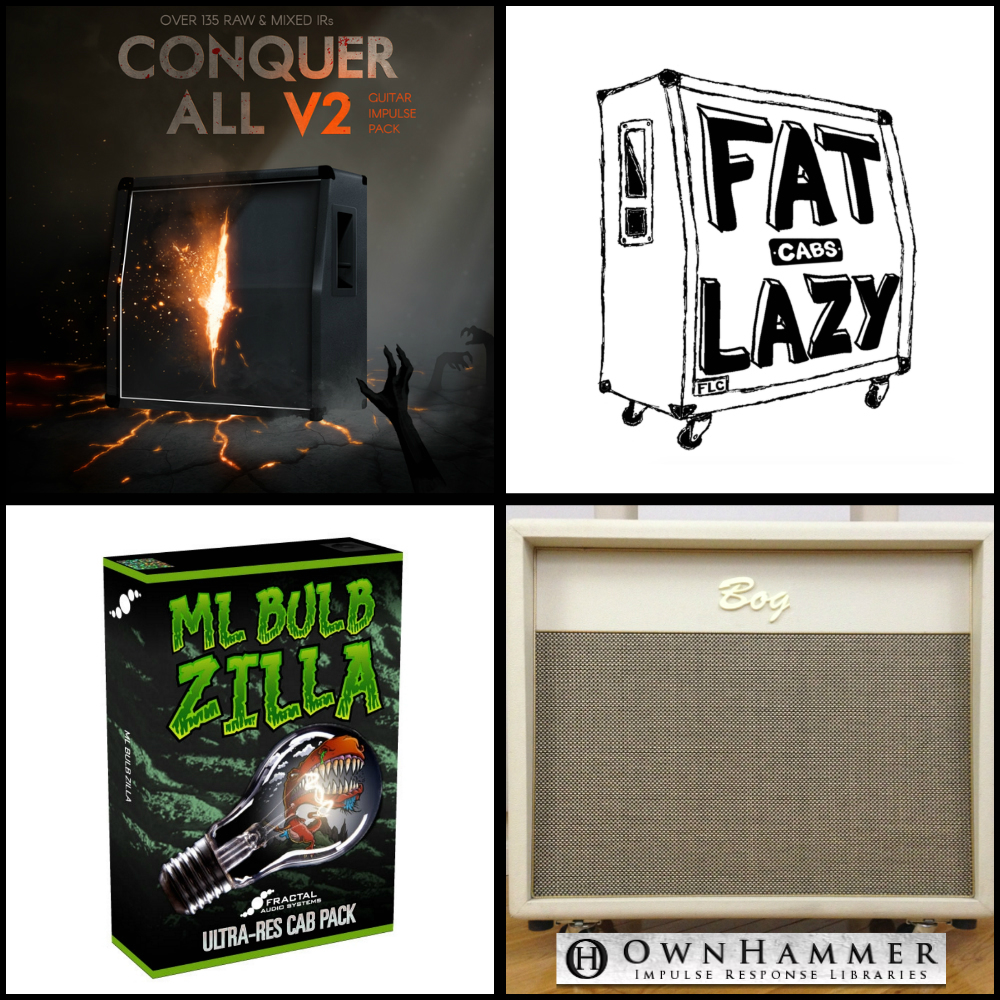
2-cabs-collage

While using a Load-Box you’ll still need to use speaker simulation on the back-end of your chain.

Some Load-Boxes come with built-in speaker emulation. Others simply serve the sole purpose of converting your amp’s speaker output into a line level signal and don’t really do anything else.

Which one to go for mainly comes down to where and how you’re planning to use the unit. If you’re planning on using the Load-Box for live performance as well as studio recording, you might be better off going with an option with built-in speaker simulation. You can save yourself from having to buy an additional speaker simulation unit in the future.

Whichever option you go for, you’re bound to find a speaker simulation setup that works well. There’s a plethora of accurately captured 3rd party speaker impulse-response packs available from companies like Ownhammer, Two-Notes, JST, Fat Lazy Cabs, etc. (Check out Part 1 of my “Silent Recording Options” Blog for a longer list of speaker simulation software and IR packs)

Which Load-Box Should I Buy?

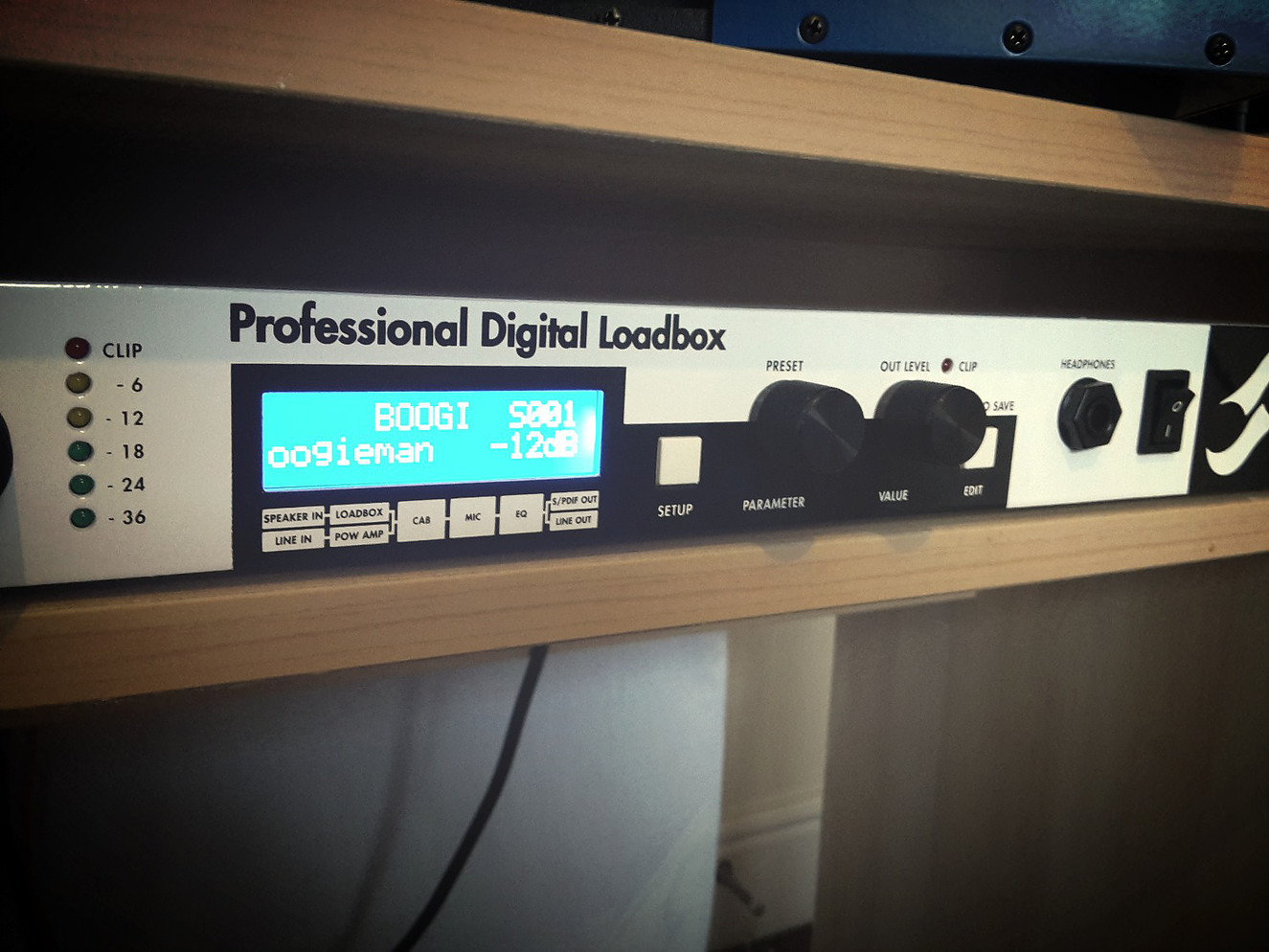
3-brett-brothers-torpedo

The Torpedo Live Digital Load-Box which I use at Brett Brothers Recording Studio.

Good Load-Boxes aren’t a cheap purchase by any means… but they make up for it by providing an excellent way to capture the sound and feel of a real amp in complete silence. They also retain the user-friendly functionality of having analog knobs and switches to tweak in real-time.

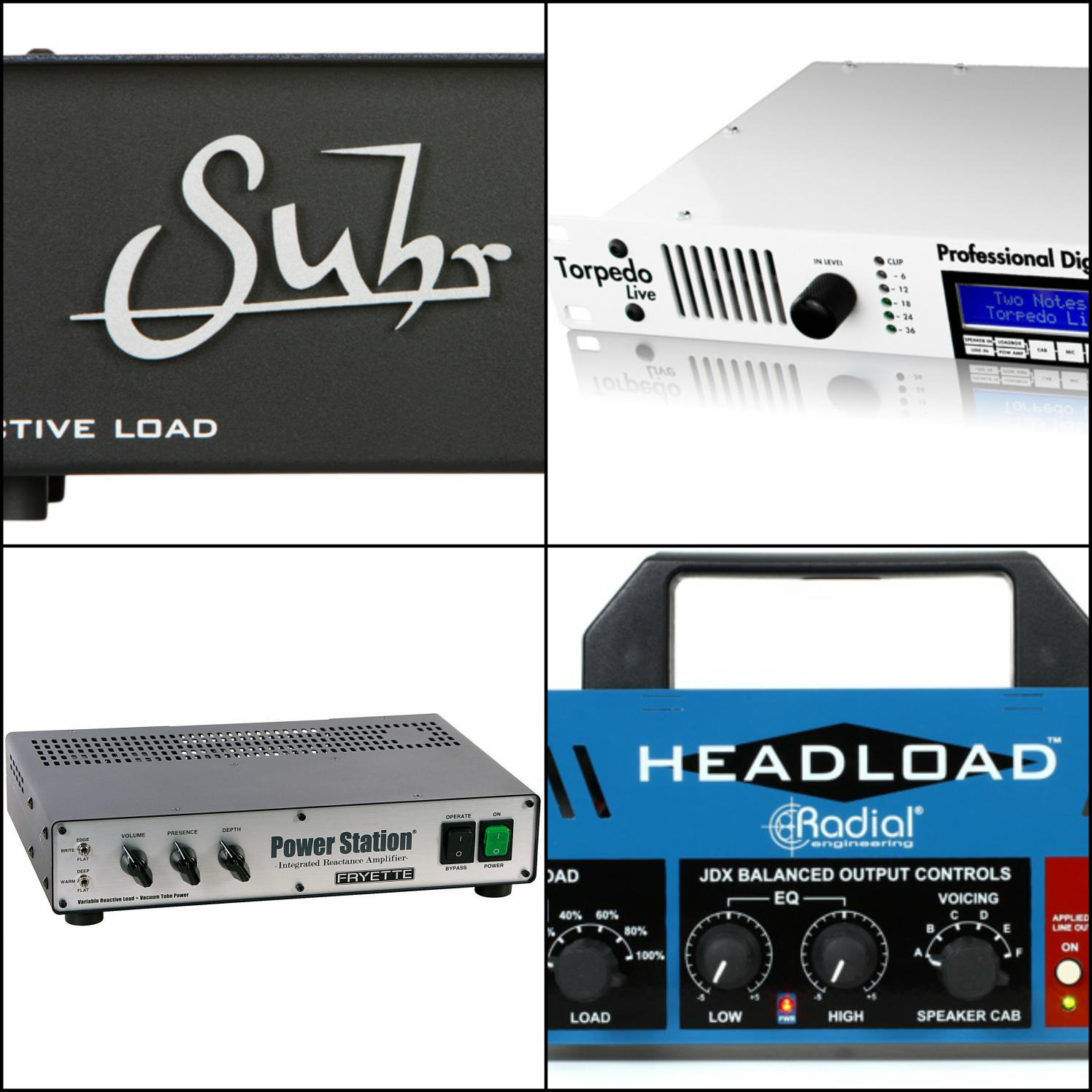
There are quite a few great reactive load boxes to choose from available on the market at the moment. Most of these products serve the same purpose. They mainly differ in connectivity options and extra features (such as built-in speaker simulation).

Here’s a list of a few excellent Load-Box options to consider

NOTE: I won’t go into too much detail about the individual products in these lists. They each offer a different set of features and functionality and would require a whole blog post for each of them in order to cover everything. I’d highly recommend checking out some sound demos and doing your own research before you make a decision on which unit to buy.

Example Load-Box With Built-In Speaker Emulation

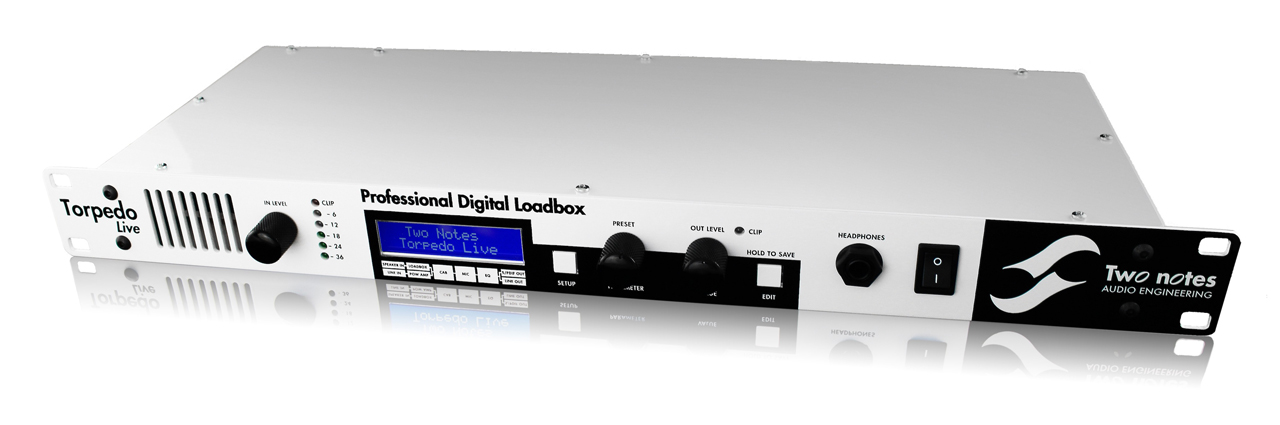
4-torpedo-live-close-up

Two Notes Engineering Products – Torpedo-Live, Torpedo Studio

Reactive, Built-In Speaker Simulation, Additional Functionality

  • Built-in, High-Quality Two-Notes speaker simulation included within each unit. The built in simulation is extremely tweakable, with parameters such as microphone choice, microphone placement, speaker choice and power-tube simulation.
  • Extremely versatile when used alongside the “Torpedo Wall of Sound III” plugin within your DAW.
  • Supplies a Reactive Load for your amp, which helps to maintain the warmth, dynamics and feel of playing through a real speaker cabinet.
  • Great for Live-Use. You can load your favorite IR’s into the units and keep a consistent tone every night without the need for any extra speaker simulation gear.
Example Load-Box Without Built-In Speaker Emulation

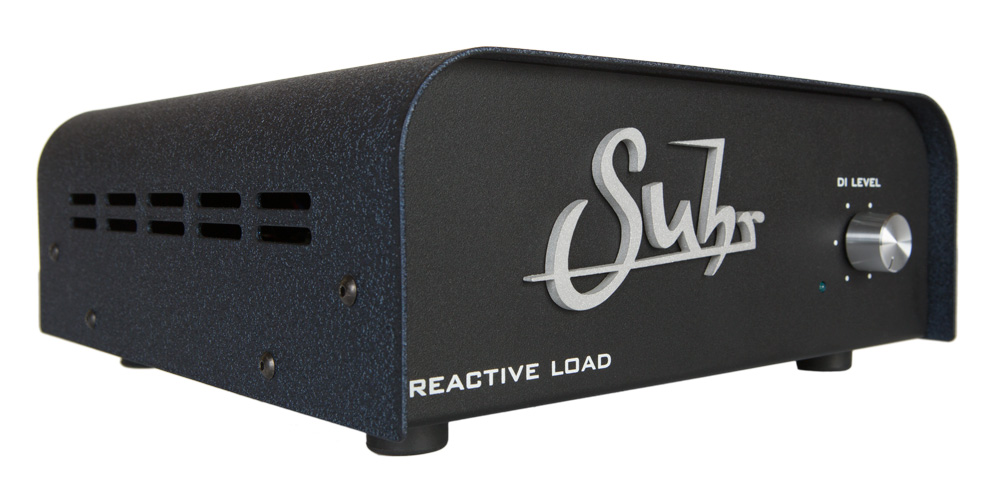
5-suhr-reactive-load

Suhr Reactive Load

Reactive, No Built-In Speaker Simulation or Extra Functionality

  • Supplies a Reactive Load for your amp, which helps to maintain the warmth, dynamics and feel of playing through a real speaker cabinet.
  • A more affordable option than the high-end Two-Notes products. However, the lower price point is reflected in the fact that the unit is a bit of a one-trick-pony (Albeit a very high-quality pony!). There’s no built in speaker-simulation or extra bells and whistles.
  • Mainly designed for studio use. You’ll have to pair the unit with some additional speaker simulation (such as a Two-Notes Cab unit) if you want to use it live.
Other High-End Load-Boxes to Check Out
  • Fryette Power Station
  • Radial HeadLoad

NOTE: There are many more brands and models to choose from when it comes to Load Boxes. These are just some of the more popular high-quality options available at the moment. Whatever you decide to go for, make sure to check out reviews and do some thorough research before you pull the trigger on anything!

Here’s a brief step-by-step guide on how to record using a real amplifier alongside a Load-Box and some speaker simulation software in your DAW

IMPORTANT NOTE ON USING AMPLIFIERS: Always make sure to have a speaker cabinet or Load-Box connected while using a guitar/bass amplifier! (Unless the amp has an in-built load-box, such as the Laney IRT Studio). Using an amplifier without connecting it to a suitable load can damage the amp and cost a ton to repair!

How to do it
  1. Buy a Load Box. (Check out my list above)
  2. Make sure that the speaker output of your amplifier is connected to the correct speaker input on your Load-Box depending on the impedance of the amp. Always make sure the Load-Box is turned on before you switch on your amp. (This is very important, as you can fry the output transformer on the amp if you use it without connecting it to a proper load!)
  3. Set the gain and EQ settings on your amp similar to where you’d usually set them. Make sure to set the amp volume at a level close to what you’d usually use, as if you were playing through a speaker cabinet in a room. Just because you can crank the volume on the amp to 10 in a silent recording scenario doesn’t mean you should… Running your amp volume too high runs the risk of damaging it in the long run, and it probably won’t sound it’s best at stupid levels anyway…
  4. Connect the line output of your Load-Box to your audio interface and set the input gain on the interface appropriately. (So that it’s loud enough, but not clipping when the guitar is strummed hard)
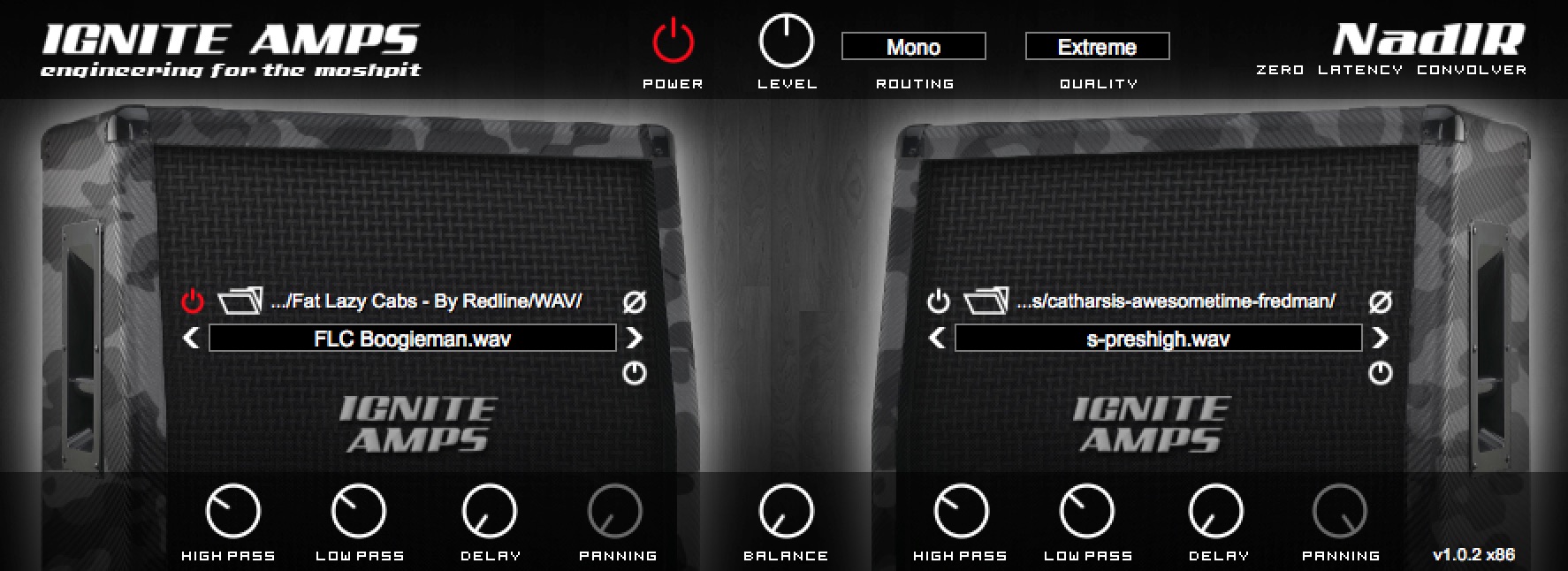
  5. Load up a speaker simulator as the first plugin in the chain in your DAW (Check out Part 1 of my “Silent Guitar Recording” Blog for a list of speaker simulation plugins and IR packs)6-speaker-sim-example
  6. Choose the speaker IR that fits your tone and song the best.
  7. You are now ready to play/record!
Recording Option #3: Hybrid Setup – Real Amp + Power-Amp Simulation + Speaker Simulation

7-fx-output-method

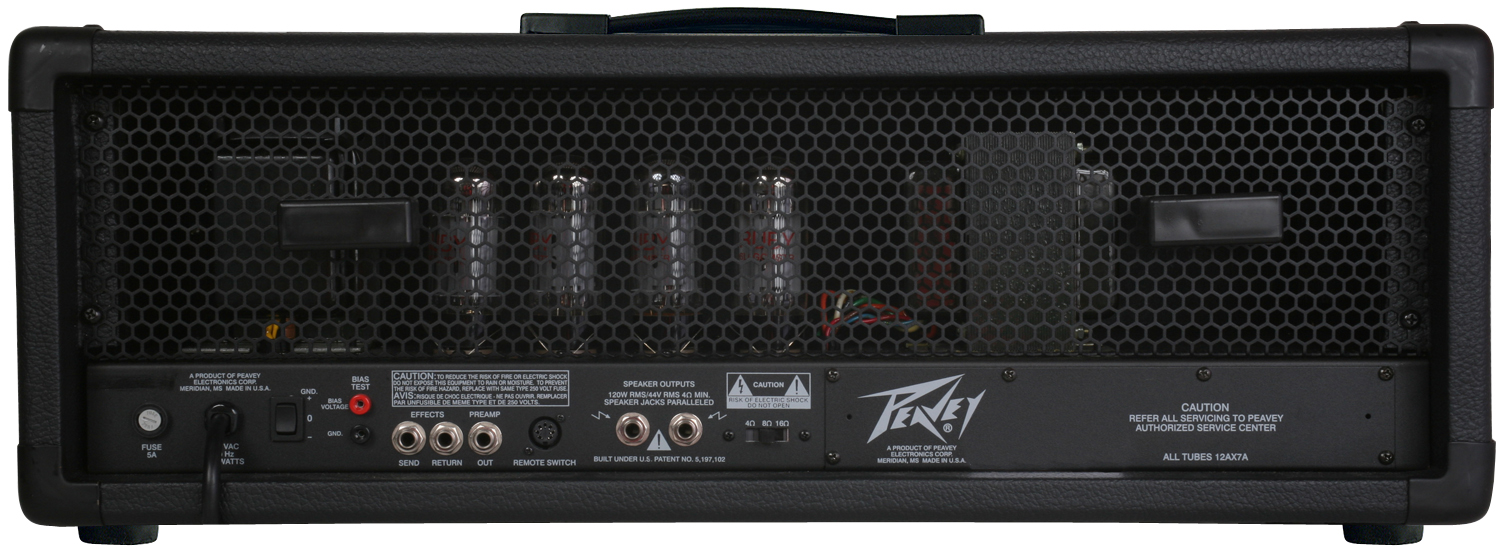
This is another interesting option, as it allows you to record directly from the preamp section of any real amplifier which has an FX loop or DI output.

The main benefits of this method include utilizing the pre-amp section of a real guitar amplifier to record, while also being able to run real FX units and stomp-boxes. The main downside of this method is that you’ll still need to hook your amp up to a suitable load, as not to damage any of the components.

IMPORTANT NOTE ON USING AMPLIFIERS: Always make sure to have a speaker cabinet or Load-Box connected while using a guitar/bass amplifier! (Unless the amp has an in-built load-box, such as the Laney IRT Studio). Using an amplifier without connecting it to a suitable load can damage the amp and cost a ton to repair!

How to do it
  1. Make sure that the speaker output of your amplifier is connected to the correct speaker input on your Load-Box depending on the impedance of the amp. Always make sure that the Load-Box is turned on before you switch on your amp. (This is very important, as you can fry the output transformer on the amp if you use it without connecting it to a proper load!)
  2. Turn the master volume of the amp down and leave it there for the entire process. The power section of the amp is unused in this method.
  3. Run a regular TS cable between the FX send of the amp and into an instrument input on your recording interface or into a DI box (some amps have a separate “Preamp” or “DI” output). (Check out Part 1 of my “Silent Guitar Recording” Blog for an in-depth explanation of DI boxes)
  4. Run another TS cable into the FX return of the amplifier, but don’t plug the other end of it into anything.
  5. Set the gain and EQ on the amp where you usually would (depending on the tone you’re after). Adjust the input gain on your interface so that it’s loud enough, but doesn’t peak when you strum hard.
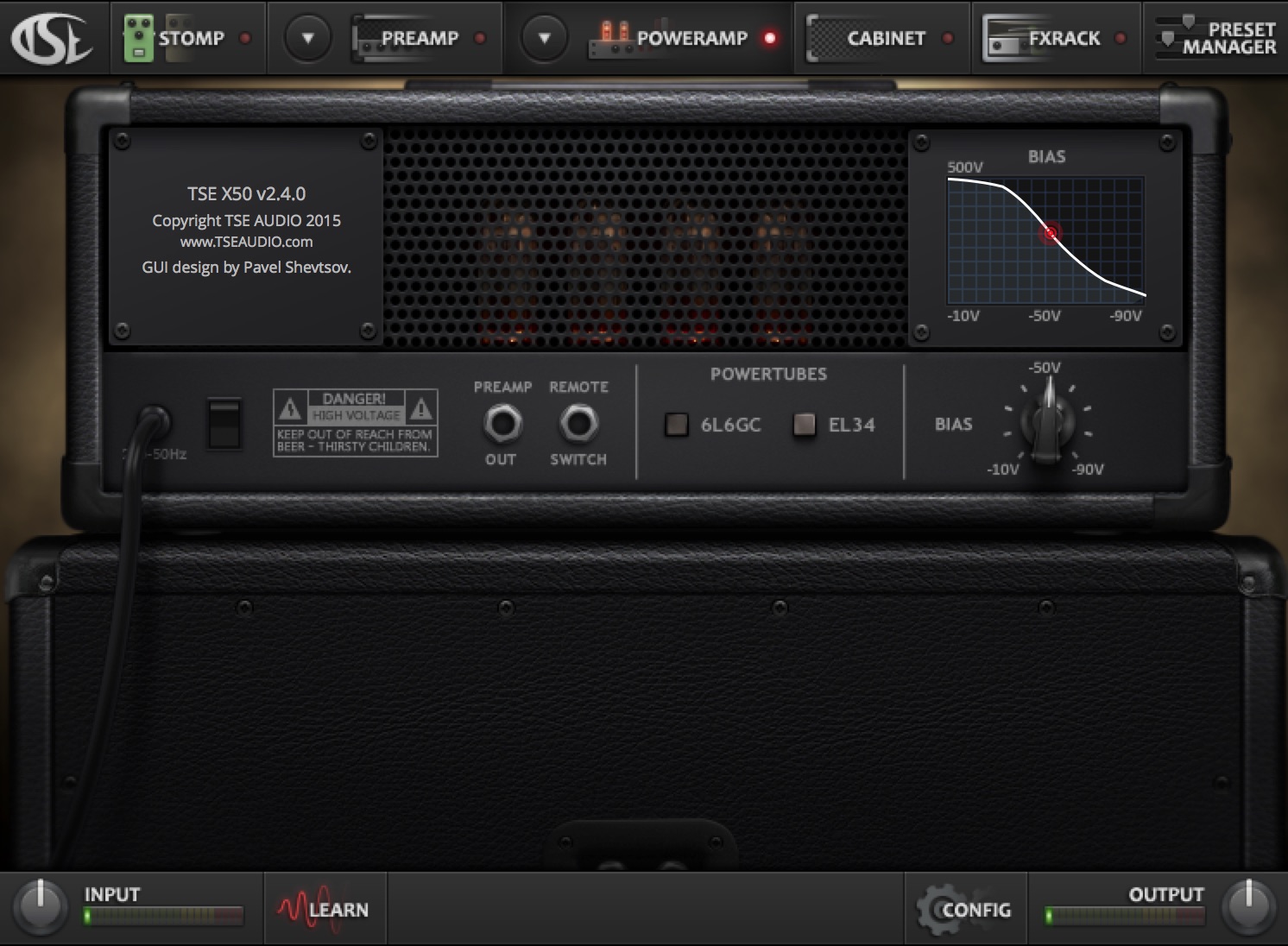
  6. Place your power-amp simulation of choice as the first plugin in your chain within your DAW. Most amp simulation plugins have built-in power amp simulation. Just turn off the pre-amp simulation and FX within the plugin so that it is only acting as a power amp simulator. (see the TSE X50V2 example below)8-power-amp-sim-example
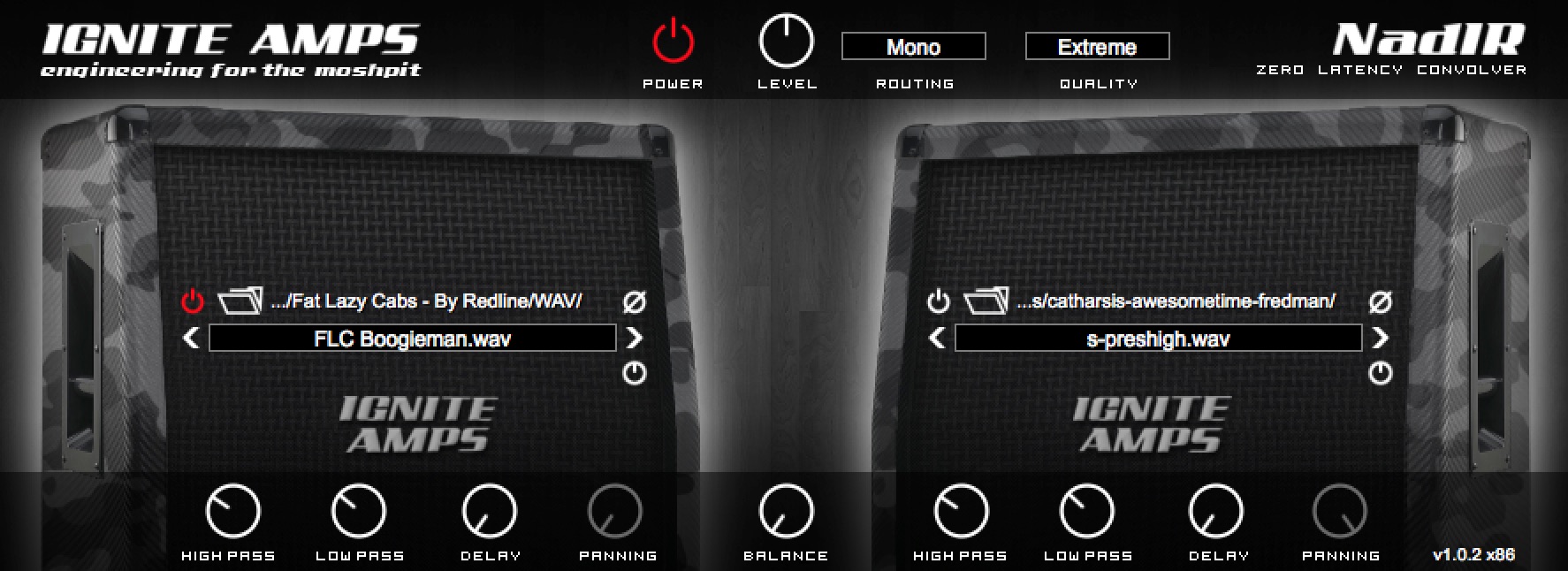
  7. Place your speaker simulation plugin as the 2nd plugin in your chain in your DAW. You can either use 3rd party cab IR’s such as the Ownhammer libraries with an impulse loader (NadIR by Ignite Audio is my favorite) or simply use the built-in speaker simulation suites in amp-sims such as Guitar Rig or Amplitube.9-speaker-sim-example

BONUS TIP: Some impulse responses are initially captured through neutral solid-state power amps with a very flat EQ response. Others are captured through tube power amps with a more colored response. Depending on which speaker impulse response you choose to use, you might not need any power amp simulation beforehand. The impulse will already have been captured through one.

Recording Option #4: Modeling/Profiling Amps + “Studio” Amps

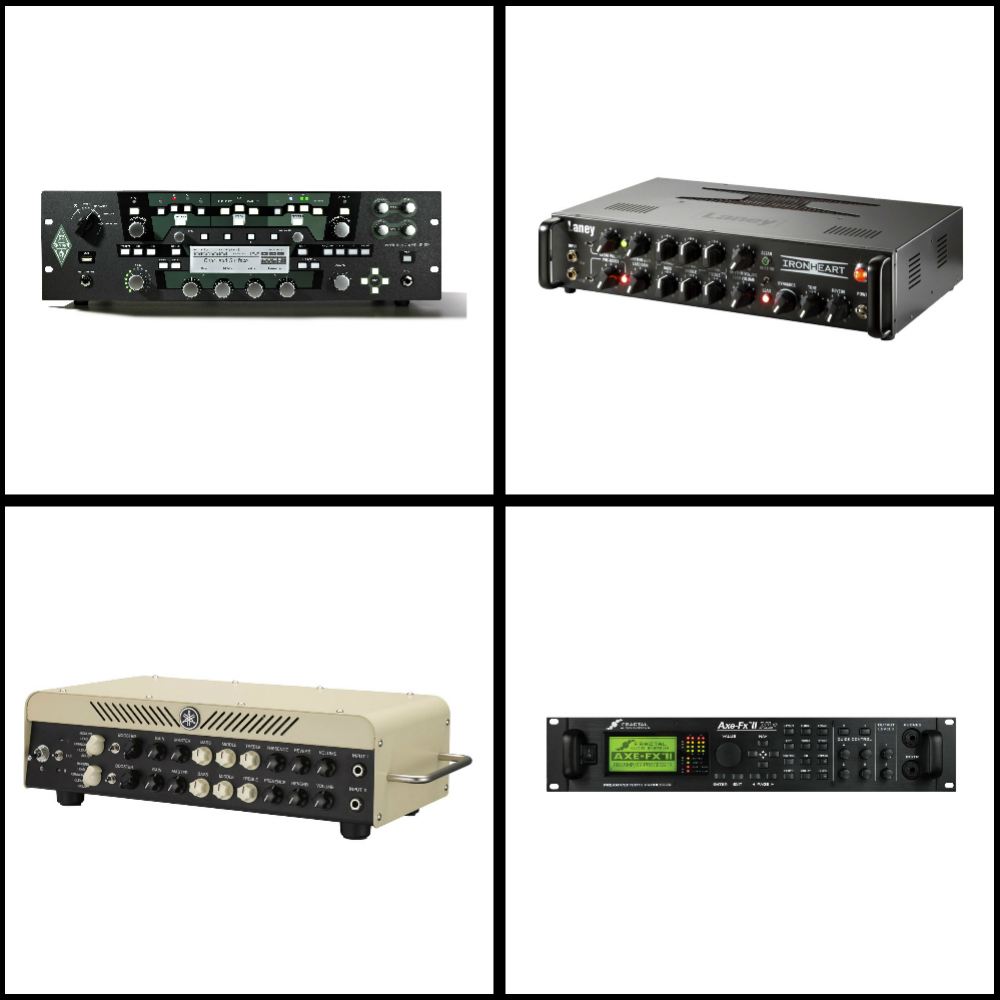
10-modeling-amps-collage

Modeling/Profiling Amplifiers

One of the most popular and arguably most revolutionary developments in guitar tone of the past decade, is the rise of thedigital modeling amplifier”.

The ability to capture or model a specific tone, which can then be recalled instantly at any desired moment, with nothing more than the simple click of a button, offers countless practical and workflow-related benefits which weren’t really available until fairly recently.

When this type of digital amp simulation technology first started to come about, many people, including myself, remained unimpressed when shown side-by-side comparisons between the real deal and the “imitation”. Fast forward a few years later, and the technology used in high-end modeling and amp profiling has been improved to the point that most of these “non-believers” have been converted to the cause. Even the most trained ears would be hard-pressed to tell the difference between the two in a blind shootout.

NOTE: As I briefly mentioned in my previous Blog entry, this isn’t a question of digital being better than analog, or visa versa. However, I do strongly believe that anybody who is still clinging on to the ancient mindset of “digital is inferior to analog” is bound to miss out on an amazing opportunity to access an incredibly versatile array of tonal options, at an extremely affordable price-point. As I said in my previous Blog: If the end product is good, the gear used to get there is irrelevant!

A List of Great Modeling/Profiling Amplifiers For You to Check Out
  • Kemper Profiling Amplifier
  • Axe FX
  • Line 6 Helix
  • Bias Head
  • Atomic Amplifire
  • Yamaha THR100H/HD
“Studio” Amplifiers

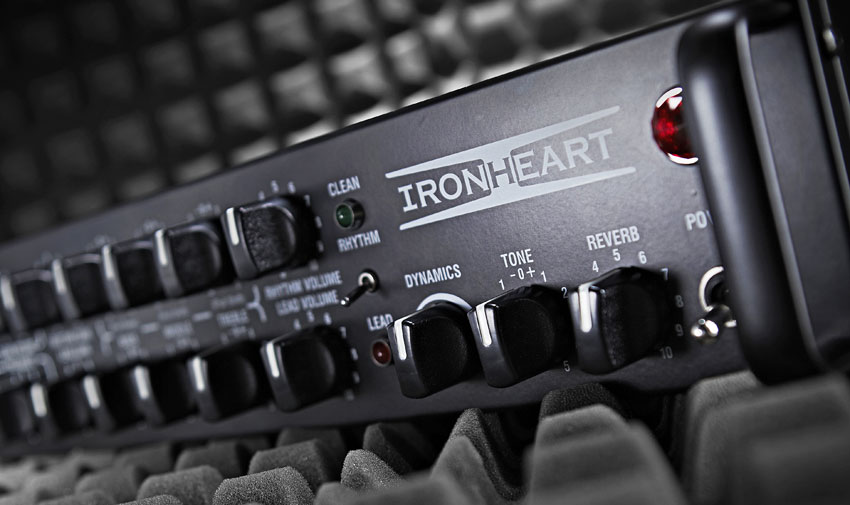
11-laney-ironheart-close-up

Studio amplifiers are a rather new hybrid guitar recording option. They aim to combine the sound and user-friendly interface of using an analog amplifier, with the functional benefits of having built-in Load-Boxes and speaker emulation.

These amps are usually available at a very reasonable price point. They offer a great alternative to some of the more expensive and extravagant modeling options. Unfortunately there aren’t too many options in this category available on the market just yet. However I have no doubt that more and more companies will start releasing some really strong contenders in this area pretty soon.

Personally, I’m huge fan of simplicity when it comes to guitar tone. Despite being one of the least expensive pieces of gear in my studio, I often opt for using my Laney Ironheart Studio over some of my other amp and speaker options simply because of how effortless it is to set up and dial in a good tone with.

Final Words

This concludes Part 2 of my “Recording Electric Guitars – Silent Recording Options” series. I hope that this article has given you some new ideas and plugins to try out during your next project.

Be sure to let me know in the comment section below if any of this information has helped you out, or if you have any further questions regarding anything I’ve talked about here.

Stay tuned for future articles on all things Recording and Production related!


Want mix tips from URM Academy? Read them here!

Nail The MixNail The Mix is our online mixing school that gives you REAL multi-tracks from REAL bands, plus a mixing class from the producer who recorded it. Past guests include Periphery, Chelsea Grin, Machine Head and State Champs. Join now for instant access!
BEN UMANOV: Building MetalSucks, The Business of Music Media, and Networking in the Digital Age

Ben Umanov is the co-founder of the influential blog MetalSucks and a key figure in the online metal media landscape. Alongside his partners, he grew the site from a simple WordPress blog in 2007 into a full-time business, eventually co-founding the Blast Beat Network, an ad network that includes prominent sites like Metal Injection. Umanov has also expanded his media footprint by launching Gear Gods, a site focused on the gear used by heavy musicians, and The Laugh Network, a similar ad network for the comedy world. Prior to his entrepreneurial ventures, he worked as a web project manager at Atlantic Records.

In This Episode

Ben Umanov of MetalSucks and the Blast Beat Network joins the show for a seriously insightful look at the business of running a modern media company. He breaks down the origin story of MetalSucks, from its humble beginnings to the nerve-wracking decision to quit a stable day job at Atlantic Records to go all-in. Ben offers a transparent look at the financial realities of that transition and the importance of passion and diversification, which led to the creation of sites like Gear Gods. The conversation also gets deep into the absolute necessity of networking, with the guys sharing stories on how personal connections have been the key to every major career move. For any producer or artist trying to navigate the industry, they also chop it up about the ever-changing social media game, discussing how to adapt to Facebook’s algorithm changes and why building a brand across multiple platforms—not just a single traffic source—is essential for long-term survival.

Products Mentioned

Timestamps

  • [0:47] Ben’s career path from blogger to running a major ad network
  • [2:55] How long it took for MetalSucks to become a full-time living
  • [4:26] The decision to quit a day job at Atlantic Records to go full-time
  • [7:31] Using multiple layers of motivation to achieve a difficult goal
  • [10:19] The financial reality of the first few years after taking the plunge
  • [13:40] Diversifying the business: The origin of Gear Gods and The Laugh Network
  • [18:01] Why creative professionals should keep an open mind about their career path
  • [20:06] Advice for getting started in the industry: Take any position you can get
  • [23:06] The critical importance of networking in the music business
  • [25:27] Are physical demos at shows still a valid promotional tool?
  • [28:54] Joey Sturgis’s unique method for filtering potential clients (cassette tapes!)
  • [31:55] How unsigned bands can get featured on MetalSucks
  • [34:32] The double-edged sword of relying on Facebook for website traffic
  • [36:26] Advice for bands dealing with Facebook’s decreased organic reach
  • [40:03] How MetalSucks is adapting with long-form content and a bigger YouTube presence
  • [44:48] The importance of brand awareness across multiple platforms
  • [49:56] Common mistakes bands make when submitting press kits
  • [54:51] Why a band’s live performance is the most important factor for success
  • [57:22] When a band with a great recording turns out to be a disaster in the studio
  • [58:35] The three-part formula for a successful band: music, live show, and business acumen

Recording Guitars – Silent Recording Options (Part 1)

Recording Guitars – Silent Recording Options (Part 1)

In our current age of digital recording technology, we now have more options available to us than ever before when it comes to capturing great guitar tones within a home studio environment/budget.

Here is an overview of what I consider to be some of the best silent-recording options available today:

Option #1: Digital Setup – Amp & Speaker Simulation Software + DI Boxes

The easiest and cheapest way to get into silent guitar recording is by using digital amp and speaker simulation plugins within your DAW.

A little backstory:

During my first few years of engineering, I couldn’t afford to buy multiple expensive tube-amps and speaker cabinets, and wouldn’t have had the space to crank them even if I could… All I owned at the time was a tiny Marshall combo, which was OK for practice purposes, but extremely limited when it came to recording and trying to get different tones out of it.

Discovering amp sims was a real game changer for me. It meant I could finally achieve results close to the sounds I had in my head, without annoying the neighbors, and with nothing more than a basic home studio setup.

Fast Forward to Today:

I thought that my old amp sims sounded pretty darn good back when I started out, but the technology used in amp and speaker simulation has improved leaps and bounds since those days. We have basically come to a point where the simulations are almost indistinguishable from the real deal.

Why Try Digital?
Why digital?
Here are some of the practical, and workflow related benefits of using amp-sims instead of analog amplifiers and cabinets:
  • Silent Recording: The ability to record silently at any time of day is amazing. I’ve had issues with neighbors complaining about noise in the past. Using amp sims solves this problem when you don’t have an alternative to recording your loud amps at home.
  • Consistency and Recall-Ability: There are lots of variables that go into creating a specific guitar tone: Mic choice, Mic placement, Speaker choice, Cabinet choice, Room placement, Amp settings, Tube choices… the list goes on! It’s difficult to maintain a specific signal chain throughout the duration of a whole album. It’s a real pain to replicate the tone if settings are changed, or something goes wrong with the gear for whatever reason. Amp simulation software gives you the ability to save your tones as presets. This means you have instant recall-ability and perfect consistency of tone across different songs within an album.
  • Variety and Comparison: Amp sims give you the ability to scroll through and compare between a huge variety of different amp and speaker choices with only a few clicks of your mouse. This means that you can find the right tone to fit the song or riff quickly. You can save hours of setting up gear in a room, or spending too much time wondering “what if?”
  • Repairs and Upkeep: Real amps are awesome! We all love the feeling of cranking a brutal tube amp through a loud 4×12 and feeling the room shake. However, things can go wrong at the most inconvenient of times and cost a ton to repair, and even then… There are no guarantees that the amp will even sound the same after an incident like this!
A few words on the Analog vs Digital Argument:

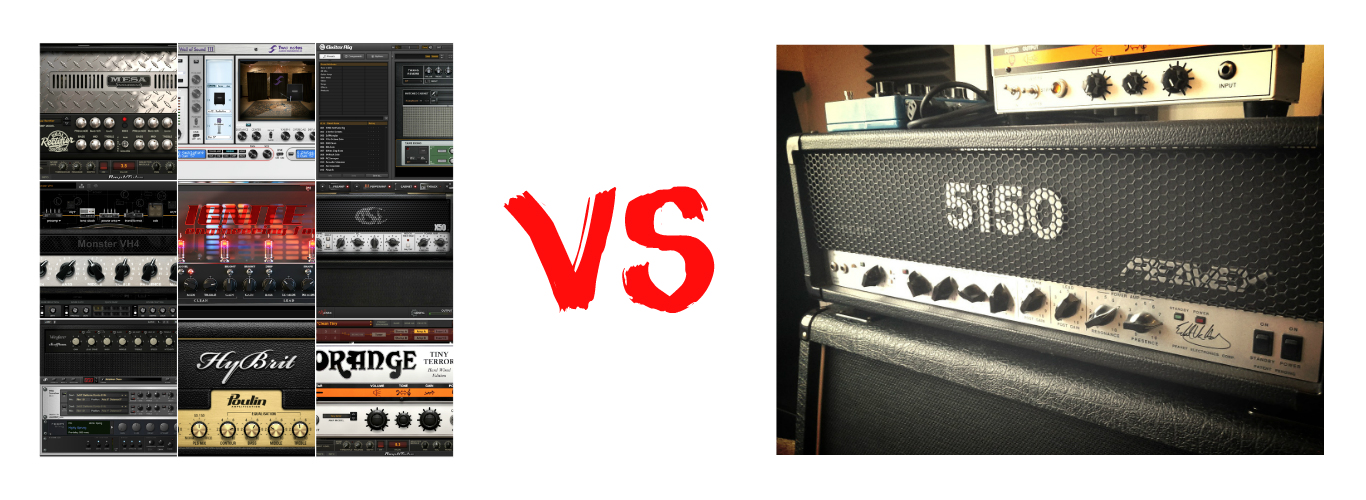
analog-vs-digital

I bet some of the “digital amp-sims suck…” analog fan-boys are starting to lose it right about now… The truth is; I’m not comparing digital to analog, or saying one is better than the other, they are both great! This blog is all about giving people options that can possibly cater to their current situations. At this point in Audio, the analog vs. digital argument is a huge waste of time… If it sounds good and offers a great workflow FOR YOU, then that’s all that matters! The methods you use to get to those results are irrelevant…

Going Digital – What do I need in order to get started?

An audio interface with an instrument input, amp simulator software, and a DI box (optional).

1 – Audio Interface:

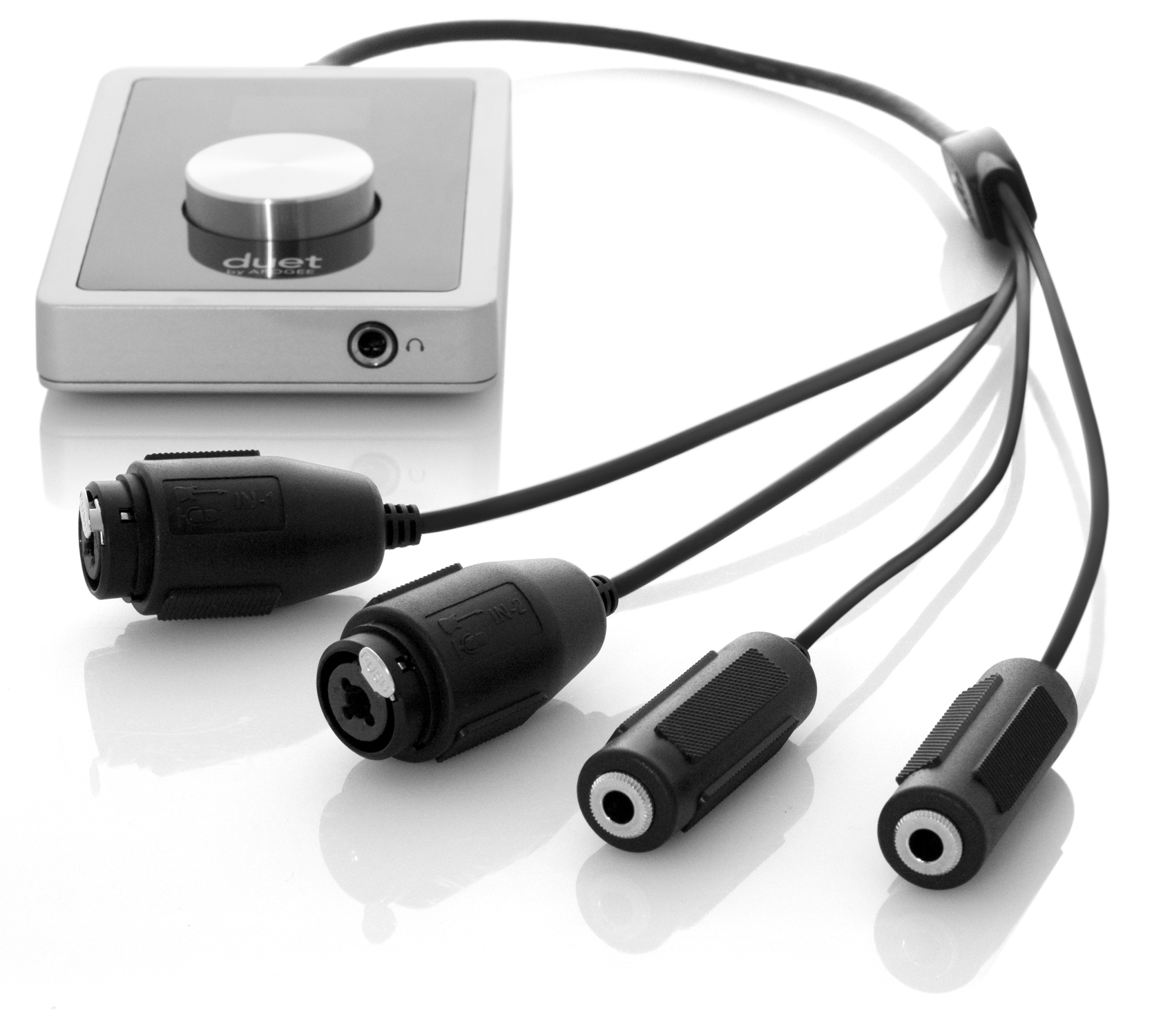
audio-interface

Any audio interface with an instrument input (also known as a HI-Z input) should work just fine for recording the raw DI signal out of your guitar, and into your DAW. There are differences in quality between the HI-Z inputs on different Audio Interfaces depending on their price point. Don’t worry about that too much if you’re just getting into audio, or on a tight budget.

If anything, just make sure that the interface you use has enough input headroom to accommodate the instrument you’re going to be using. (EX: Some interfaces will clip even at the lowest input gain setting when used with active pickups)

2 – Amp/Speaker Simulation Software:

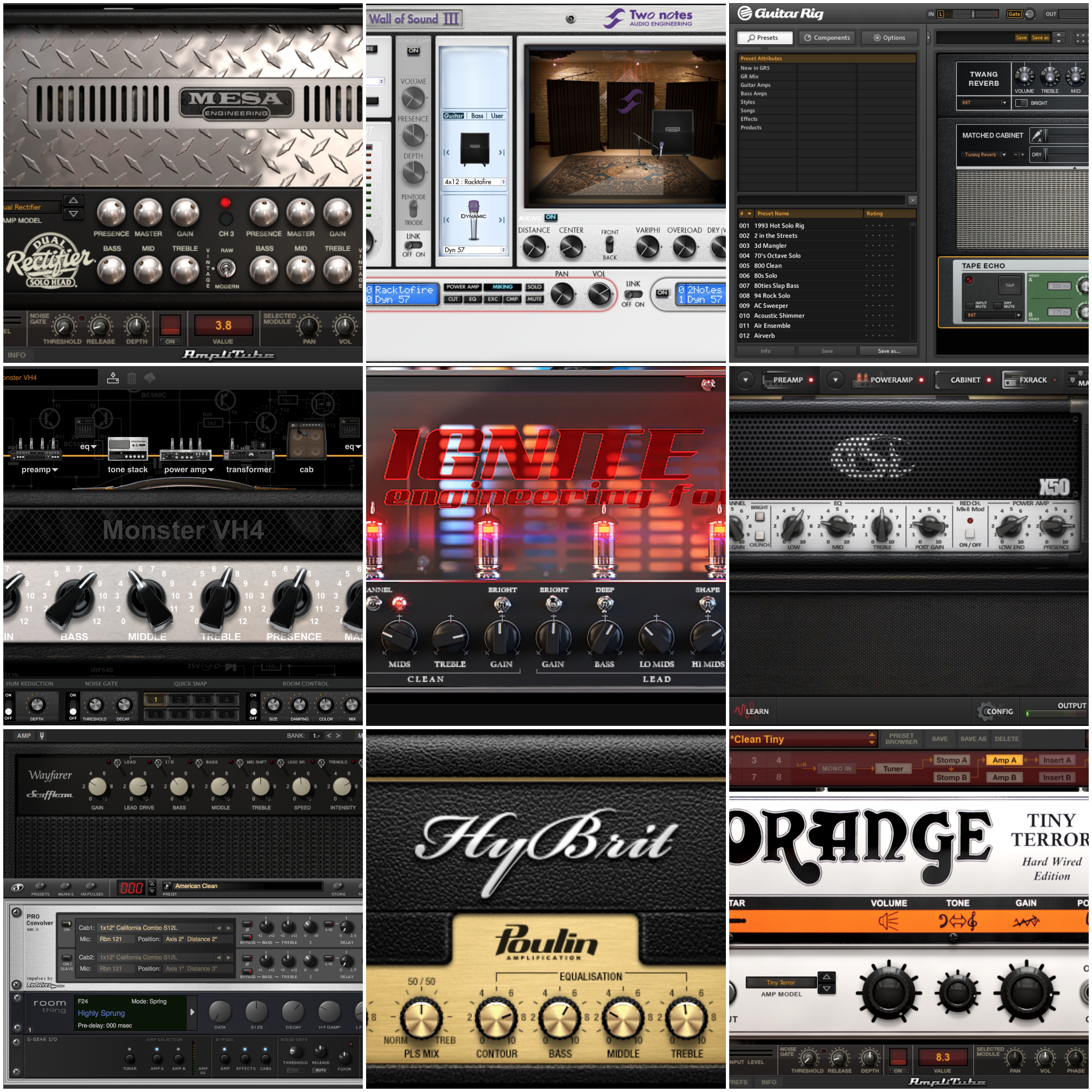
amp-sims-collage

There are absolutely TONS of simulation plugin options to choose from these days. Which one to use depends entirely on what you’re after and whether you want to stick to the freeware options, or try out a paid option:

NOTE: I won’t go into too much detail about the individual plugins in these lists, as they each offer a different set of features and functionality. These are simply meant to be lists of products which I have tried in the past, and managed to get good results with in my own projects. These are not comprehensive lists of all the simulation plugins known to man…

A – Paid “Complete Tone Suite” Amp/Speaker Sim Options:

These plugins essentially act as a “complete tone suite,” with built-in amp simulation, speaker simulation, guitar effects and post-processing options all under the same roof:

I’d highly recommend checking out some sound demos and doing your own research before you make a decision on which software to buy.

NOTE: These plugins are in no particular order:
  • Scuffham Amps – S Gear: My personal favorite amp-sim for vintage and warm sounding clean and crunch tones. I also really like their lush spring reverb algorithms. NOTE: S-Gear is now included in the Steven Slate everything bundle for only $24 a month!
  • X50-V2 – TSE Audio: Based on the classic Peavey 5150 Tube Amp, this the best high-gain amp-sim for metal in my opinion. Comes pre-loaded with some of the best impulse responses available.
  • Bias – Positive Grid: One of the more realistic amp-sims with the most tweakability. Gives you the option to try out different tubes, speaker types, amp bias settings etc. I have never really used Bias personally, as I find having too many options a bit daunting and feel like it slows down my workflow. Nevertheless, a great sounding amp sim.
  • Pod Farm – Line 6: One of the most popular amp-sim options for down-tuned metal. The favourite of many famous metal producers.
  • Toneforge Amp Sims – JST: Awesome sounding amp and speaker simulation designed by the main man Joey Sturgis himself. I don’t own these plugins personally, but have always been blown away whenever I’ve heard Joey using them in his videos and productions.
  • Amplitube 4 – IK Multimedia: The most user-friendly interface of any amp-sim in my opinion. Their newer MESA stuff is pretty killer for metal, I’m also a huge fan of their Ampeg sims for rock bass.
  • Guitar Rig 5 – Native Instruments: Very good clean amp emulations, offers a great selection of creativity-inspiring FX options to choose from. 
B – Freeware “Standalone” Amp-Sim Options:

These plugins are designed to purely simulate the amplifier portion of the guitar chain. They’re meant to be used in conjunction with a separate speaker-sim plugin:

  • LePou Amp Sims – LeGion (Peavey 5150), LexTac (Bogner XTC), Hybrit (Marshall JCM800), Lecto (Mesa Dual Rectifier) and Le456 (Engl 645): Arguably the best freeware amp-sims available, these have been around for quite along time and they still sound amazing!
  • The Emissary & The Anvil – Ignite Amps: Very good freeware amp-sims, they sound amazing and offer extremely user friendly interfaces.
C – Paid “Standalone” Speaker-Sim Options:

Most speaker simulation plugins serve the same core purpose; they load-up and host your impulse responses. The main differences between the individual plugins are in functionality, the extra features they offer to speed up your workflow, and whether they offer in-built IR’s or require additional 3rd party IR purchases:

  • Wall of Sound III – Two-Notes: A Speaker IR Loader which is designed to be used alongside the Torpedo Load Boxes. Wall of sound offers much more in terms of customisation and tweak-ability than most IR loaders when used in conjunction with the special IR packs which can be purchased on the Two-Notes website. It can also be used as a regular speaker IR loader with 3rd party IR’s if desired.
  • Cab Lab 3 – Fractal Audio: A Speaker IR Loader designed by the people who make AXE-FX. They offer many good paid IR packs on their website. (Misha Mansoor from Periphery has some amazing IR packs available on the fractal website)
  • MixIR2 – RedWirez: A very popular Speaker IR Loader made by the guys at RedWirez, they also sell great Speaker IR packs. (Nolly uses their bass cab IR’s while mixing Periphery)
D – Freeware “Standalone” Speaker-Sim Options:

These freeware options don’t come pre-loaded with any speaker IR’s. They are meant to be used with 3rd party IR packs which you can purchase separately:

  • NadIR – Ignite Amps: My personal favorite IR loader of choice, meant to be used with 3rd party Speaker IR’s. Offers a very simple and functional UI with built-in filters, IR blending, and latency adjustment options. I have been using NadIR for years on most of my projects and it has never let me down.
  • KefIR IR Loader: Another very simple Speaker IR loader, meant to be used with 3rd party Speaker IRs. I have never really used this plugin personally as it is Windows-only.
E – 3rd Party IR Packs:

Here is a brief list of 3rd party speaker IR packs for you to consider. All of these are great options. Which ones to go for really depends on what you’re looking for:

  • Fat Lazy Cabs Speaker IR Pack by Redline
  • Ownhammer Speaker IR Packs
  • RedWirez Speaker IR Packs
  • Rosen Digital Speaker IR Packs
  • Fractal Audio Speaker IR Packs
3 – DI BOXES (OPTIONAL):

(This step is OPTIONAL, and not “absolutely necessary”, as some would try to have you believe…)

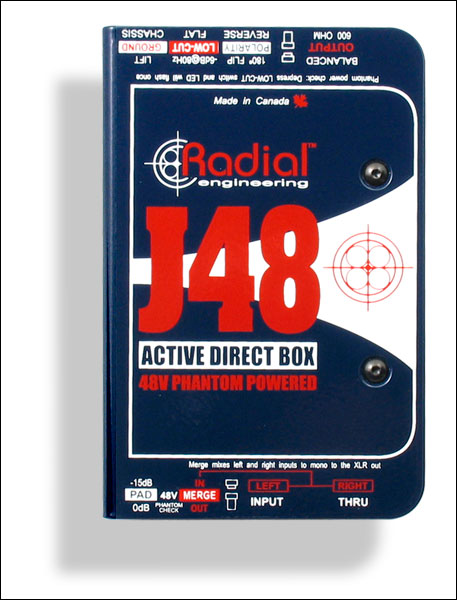
di-box

A good tip to squeeze an extra bit of quality out of your raw DI’s, is to use an external DI box instead of the built in HI-Z input on your audio interface.

Here’s a Common Question which I see asked often on forums: “If the HI-Z input on my interface is basically serving the same purpose, why should I invest in an external DI Box?”

The Answer?

The instrument inputs on a cheap/budget audio interface are usually constructed at a very low cost, without the luxury of taking up too much space within the chassis of the interface.

Think of it this way: How much money do you think was spent on a single component of a low-budget piece of gear which only costs $50-100 to produce in the first place???

DISCLAIMER: Don’t get me wrong! You can absolutely get the job done just fine by simply using the in-built DI options on your recording interface. I’m merely presenting you with a way to improve the quality of the raw DI’s you’re capturing. It’s completely up to you.

Here are some of the main benefits to using an external DI Box:
  • Superior construction quality: A purpose-built, high-quality DI Box will offer far improved impedance matching between the instrument and interface compared to the often cheap, built-in HI-Z inputs on most low-end interfaces. This will result in increased high-end fidelity of the recorded DI signal and an extended frequency response overall. In other words: “A more accurate representation of your instrument onto tape”.
  • Improved transient response: High-Quality DI boxes usually have more headroom available to accurately capture transient information without clipping and introducing unpleasant square wave distortion into the signal.
  • A (mostly) balanced signal path between your instrument and recording rig: This benefit applies mostly to live audio, but can also be very useful for maintaining a good signal/noise ratio. Especially in instances where the guitarist is far away from the recording interface or mic preamp in the studio. (Ex: When the Guitarist is in the live room while the interface/preamp is in a control room)
  • Good DI boxes usually have an in-built pad switch: This can be a useful feature in order to prevent your instrument from clipping your interface preamps. Most low-end interfaces don’t have a pad switch and will often clip your DI’s even at the lowest input level.
NOTE ON DI BOXES:

I can personally vouch that using a high quality outboard DI box such as a Radial J48 or Countryman 85 is a definite improvement over using the in-built HI-Z input on a cheap interface. HOWEVER, buying a DI box isn’t the solution to your guitar tone issues… it will merely give you an extra few % of quality. If you are unhappy with the way your guitar tones sound then you’re better off looking for the culprit in the other “more significant” parts of the chain. The instrument, the amp, the cab, or the guitarist come to mind. 

Final Words:

This concludes part 1 of my “Recording Electric Guitars – Silent Recording Options” series. I hope that this article has given you some new ideas and plugins to try out on your next project.

Be sure to let me know in the comment section below if this information has helped you out, or if you have any further questions regarding anything I’ve talked about here.

Stay tuned for part 2, where I will be talking about “Hybrid Silent Guitar Recording Options”


Want mix tips from URM Academy? Read them here!

Nail The MixNail The Mix is our online mixing school that gives you REAL multi-tracks from REAL bands, plus a mixing class from the producer who recorded it. Past guests include Periphery, Chelsea Grin, Machine Head and State Champs. Join now for instant access!